Best Lighting for Home Office: Desk Lamps, Glare & Setup
The best lighting for a home office is usually a layered setup: a dimmable desk lamp for focused work, soft ambient light to reduce contrast, and careful placement to avoid screen glare.
For most people, a neutral white light around 4000K, adjustable brightness, and a glare-free desk position matter more than simply buying the brightest LED lamp. This guide uses the same logic behind ambient, task, and accent lighting to explain which lights work best for computer work, reading, video calls, and long work sessions.
Quick Answer
For most home offices, the best lighting setup is a dimmable LED desk lamp plus soft ambient light. Aim for around 4000K, keep bright lights out of your direct line of sight, and position the lamp so it lights your desk without reflecting off the monitor.
- Use a desk lamp as the main task light for typing, reading, and paperwork.
- Add softer ambient light so the screen is not surrounded by a dark room.
- Start around 4000K for a balanced work-friendly color temperature.
- Fix glare with placement and diffusion before increasing brightness.
- Use smart scenes or dimming only if they make the setup easier to control.
Table of Contents:
- Quick Answer
- Home Office Lighting Basics
- Best Desk Lamps for Home Office Lighting
- Overhead and Ambient Lighting for Home Offices
- Best Color Temperature for Home Office Lighting
- How to Reduce Glare on Screens and Desks
- Monitor Backlighting and Bias Lighting
- Dimmable and Smart Lighting Controls
- Natural Light and Seasonal Adjustments
- Best Home Office Lighting Setup: What to Choose
- FAQ
- Key Takeaways
Home Office Lighting Basics
A good home office lighting setup should make the desk easy to use without making the whole room feel harsh. The basic idea is simple: use task lighting for the work surface, ambient lighting for the room, and careful placement to avoid glare on screens.
For most desks, 300 to 500 lux is a practical target for everyday computer work, reading, and paperwork. More detailed tasks, such as sketching, drafting, or close inspection, may need stronger focused light. A smartphone light meter app is not perfect, but it can give you a useful starting point if you check the desk surface at normal sitting height.
Placement matters as much as brightness. For right-handed users, placing the desk lamp on the left helps reduce hand shadows while writing. Left-handed users usually get better results with the lamp on the right. If you are comparing fixture specs, brightness, beam angle, and color temperature, our LED lighting buying guide covers the most important basics.
If your screen looks bright enough but paper documents still appear dim, the room probably needs better task lighting rather than more overall brightness.
Best Desk Lamps for Home Office Lighting
Desk lamps are usually the most important part of a home office lighting setup because they let you control brightness, direction, and distance from the work area. Compared with older incandescent or fluorescent options, LED desk lamps run cooler, use less energy, and reach full brightness instantly.
The best models offer adjustable brightness, flexible arms, stable positioning, and enough reach to cover your desk without taking up too much space. A lamp that can shift between focused task lighting and softer everyday lighting is usually more useful than a lamp with one fixed output level.
For computer work, place the lamp so it lights your keyboard, notes, or paperwork without shining into your eyes or reflecting directly on the monitor. For video calls, avoid placing the lamp too low or too far to one side, because it can create harsh shadows on your face.
For a simple all-in-one setup, a dimmable LED desk lamp with adjustable color temperature is the most practical first upgrade. It gives you direct task light for reading and typing, while still letting you soften the output for calls or evening work.
Useful features include smooth dimming, simple controls, adjustable color temperature, a stable base, a flexible arm, and a lamp head that can be angled away from your monitor. Memory functions can also help by restoring your preferred brightness and color temperature when you turn the lamp back on.
Overhead and Ambient Lighting for Home Offices
Overhead lighting should support the room without overpowering the desk. In most home offices, ceiling lighting works best as soft background illumination that keeps the room usable and reduces the harsh contrast between the desk area and the rest of the space.
Recessed, flush-mount, and semi-flush ceiling lights can all work well if they provide even coverage and use diffused lenses. The goal is not maximum brightness. The goal is balanced ambient light that does not reflect off screens, glossy desks, or framed wall art.
If your office has a tall ceiling or a converted loft feel, fixture drop, beam spread, and spacing become more important. In that case, the same planning principles used for lighting for high ceilings can help you avoid a room that looks bright above your head but dim at the desk.
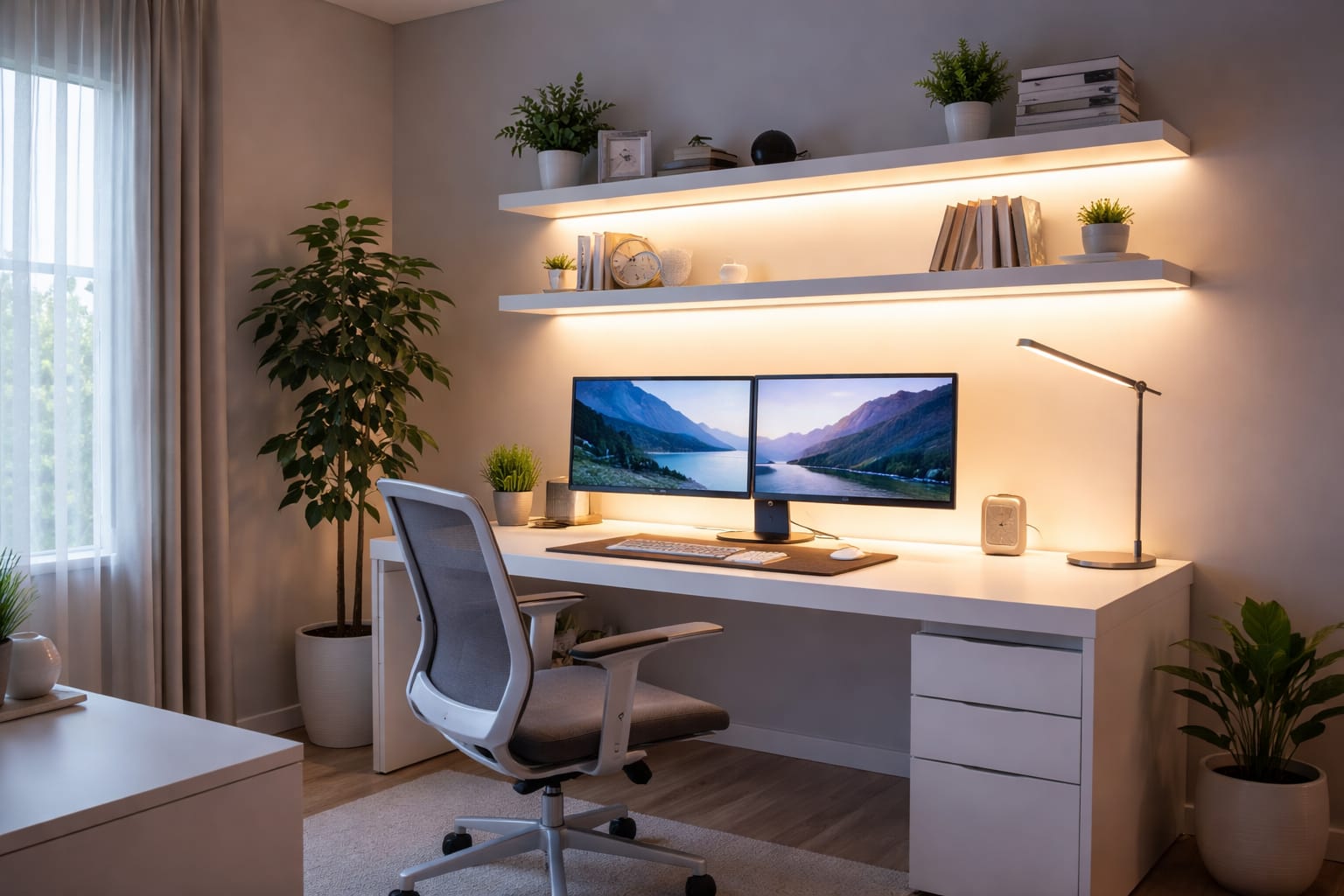
Ambient lighting fills in the rest of the room so your task light does not appear isolated against a dark background. Floor lamps, wall sconces, shelf lighting, and indirect lighting can all help create a more comfortable workspace, especially if you spend long hours looking at a screen.
For shelves, cabinets, or a softer video call background, rechargeable LED light bars for shelves or background lighting can be useful because they add light to darker corners without needing a large floor lamp or permanent installation.
Best Color Temperature for Home Office Lighting
Color temperature affects how alert, comfortable, and natural a workspace feels. For most home offices, neutral white light around 4000K is the safest starting point because it feels clear and productive without looking too cold.
Cooler light in the 5000K to 6500K range can feel sharper and more energizing, which some people prefer for focused daytime work. Warmer light below 3000K is usually better for softer ambient lighting or evening use, when comfort matters more than maximum alertness.
If your office is used all day, adjustable color temperature is usually better than committing to one fixed tone. You can use cooler settings for focused daytime work and warmer settings later in the day when you want the room to feel calmer.
According to the U.S. Department of Energy LED lighting guidance, thoughtful LED choices affect comfort and efficiency, not just energy use. In a home office, that means choosing light that supports the way you actually work, rather than simply choosing the most powerful bulb available.
How to Reduce Glare on Screens and Desks
Glare is one of the main reasons a home office lighting setup can feel tiring, even when it seems bright enough. Glare can come directly from exposed light sources or indirectly from reflections on monitors, glossy desks, glasses, framed pictures, and nearby windows.
To reduce glare, keep bright fixtures out of your direct line of sight and avoid aiming lamps toward the screen. Placing the monitor perpendicular to a window often works better than putting it directly in front of or opposite the glass.
Diffusion is also important. Frosted lenses, opal covers, fabric shades, and shielded fixtures spread light more evenly and make LEDs feel less harsh. Matte desk surfaces and softer wall finishes can also reduce distracting reflections.
If the room has enough light but still feels uncomfortable, glare is usually the problem rather than a lack of brightness. Fix placement, diffusion, and screen angle before choosing a stronger bulb.
A brighter bulb will not fix glare. In many cases, it makes the workspace feel worse unless the fixture position, shade, or diffusion improves as well.
Monitor Backlighting and Bias Lighting
Monitor backlighting, also called bias lighting, can make long screen sessions more comfortable by reducing the contrast between a bright display and a darker background. It does not replace task lighting, but it can improve the workspace’s overall visual comfort.
For professional use, neutral white bias lighting is usually the best option. It creates a subtle glow behind the screen without distracting from the content or changing the mood of the whole room. Color-changing strips can look good, but they are usually better for casual setups than for serious workstations where color accuracy and fewer distractions matter more.
Mount the backlighting so the light reflects onto the wall rather than leaking around the screen edges. For dual-monitor setups, try to keep the glow evenly distributed across both displays and adjust brightness based on wall color, room lighting, and monitor brightness.
Dimmable and Smart Lighting Controls
Dimming controls are one of the most useful lighting features in a home office because the room rarely needs the same lighting output all day. Natural light shifts, tasks change, and what feels right for focused morning work may feel too bright later in the afternoon or evening.
Smooth, LED-compatible dimming is important. Poor dimmer compatibility can cause flicker, buzzing, or uneven output, which can quickly become annoying in a workspace. Preset scenes can also help if you regularly switch between work mode, video call mode, reading mode, and evening mode.
Smart lighting can be genuinely useful if it solves real problems instead of creating more complexity. App control, voice commands, schedules, and scenes are helpful when they let you change the room without losing focus. If you are planning more than one connected fixture, a broader smart lighting systems setup can make those scenes easier to manage.
If you want accent lighting for shelves, monitor backs, or a video call background, smart RGB LED strip lights compatible with Alexa and Google Home can add flexible scene control without taking up desk space.
For more general information on efficient LED products, the ENERGY STAR LED lighting guide is a useful reference. Efficiency still matters in a home office, but comfort, glare control, and stable dimming should come first.
Natural Light and Seasonal Adjustments
Natural daylight can improve a home office, but it must be managed carefully. The most practical setup usually places the desk perpendicular to the window, allowing daylight to brighten the room without hitting the monitor directly.
Blinds, shades, and curtains help control glare and overheating during the brightest part of the day. Softly filtered daylight often feels more comfortable than direct sunlight, especially during long screen sessions.
Artificial light should complement daylight, not compete with it. This matters even more if your office is part of a shared lounge or open living area, where some living room LED lighting ideas can also help you keep the space comfortable outside work hours.
Seasonal changes affect the amount and depth of daylight in your office. In winter, you may need to rely more heavily on overhead and task lighting. In summer, you may need to spend more time managing glare and balancing stronger natural light. Dimmable lights, adjustable fixtures, and movable desk lamps make these changes easier to handle.
Best Home Office Lighting Setup: What to Choose
For most home offices, one single fixture is not the best setup. A simple layered approach works better because it covers the desk, the room, and screen comfort without making the space feel overlit.
- Small desk: use a compact dimmable desk lamp and soft room light.
- Dual-monitor setup: use side task lighting and subtle monitor backlighting to reduce contrast.
- Video calls: use soft front or side light and gentle background lighting behind you.
- Shared room: use ambient lighting and dimming so the office area still feels comfortable after work.
- Evening work: use warmer or tunable white light instead of strong cool light late at night.
FAQ
What Is the Best Lighting for a Home Office?
The best lighting for a home office is a layered setup with a dimmable desk lamp, soft ambient light, and careful placement to avoid glare. Most people should start with a neutral white light around 4000K and adjust brightness based on daylight and task type.
Is 4000K Good for Office Work?
Yes, 4000K is a good color temperature for most office work because it feels clear and neutral without being too warm or too cold. It is a strong starting point for computer work, reading, writing, and general productivity.
Where Should I Place a Desk Lamp for Computer Work?
Place the desk lamp so it lights your keyboard, notes, or work surface without shining into your eyes or reflecting off the monitor. Right-handed users usually get fewer writing shadows with the lamp on the left, while left-handed users often prefer the lamp on the right.
Does Monitor Backlighting Help with Eye Comfort?
Monitor backlighting can help with comfort by reducing the contrast between a bright screen and a darker wall behind it. It works best as a subtle glow, not as a bright decorative effect.
Key Takeaways
The best lighting for home office work usually comes from a layered setup, not a single fixture. A good desk lamp, balanced room lighting, and the right color temperature are more important than chasing raw brightness.
First, focus on comfort: reduce glare, light the desk properly, and add dimming if possible. These changes often improve a workspace more than buying the brightest or most expensive light.
Once the basics are in place, extras like bias lighting, smart scenes, and tunable white can make the office feel even better throughout the workday. The goal is a setup that supports concentration without making the room feel harsh or tiring.
Sharing This Guide
If you found this guide helpful, save it for later or share it with someone who is planning a better home office lighting setup.
Share using the links below:
Interested in learning more? Browse all related articles in our LED buying guides section.