Zigbee Smart Lighting Setup: What You Need Before Buying
Zigbee smart lighting is best for homes that need reliable multi-room control, sensors, scenes, and automation without putting every light on Wi-Fi. The key is choosing the right hub or coordinator, checking Zigbee compatibility before buying, and using powered devices to strengthen the mesh network. This guide explains when Zigbee is worth it, what you need to start, and which upgrades make sense first.
Quick Answer
Zigbee smart lighting is worth it if you want reliable automation, better whole-home coverage, and less strain on your Wi-Fi network than a large Wi-Fi lighting setup would create. To start, you usually need a Zigbee hub or coordinator, compatible bulbs or switches, and a few powered devices that can help extend the mesh network.
- Choose Zigbee if you plan to grow beyond a few basic smart bulbs.
- Use Wi-Fi lighting if you only need one or two simple lights.
- Check hub compatibility before buying bulbs, plugs, switches, or sensors.
- Add powered Zigbee devices to improve coverage in larger homes.
- Use sensors and schedules if automation is your main goal.
Table of Contents:
- Quick Answer
- What Is Zigbee Smart Lighting?
- Zigbee vs Wi-Fi Lighting
- What You Need Before Buying
- How the Zigbee Mesh Network Works
- How to Set Up Zigbee Smart Lighting
- Zigbee Compatibility Checklist
- Automation and Everyday Use
- Troubleshooting and Coverage Tips
- Is Zigbee Smart Lighting Worth It?
- FAQ
- Key Takeaways
- Sharing This Guide
What Is Zigbee Smart Lighting?
Zigbee smart lighting is a way to connect bulbs, switches, plugs, sensors, and hubs through a low-power wireless communication system. Instead of every device depending directly on your router, Zigbee devices can communicate through a mesh network, where compatible powered devices help pass signals across the home.
This makes Zigbee useful for homes where lighting needs to be more than simple app control. It works especially well for rooms, scenes, motion-based routines, schedules, dimming, and lighting that needs to stay responsive as the system grows. If you want a broader foundation before choosing a protocol, our complete smart lighting systems guide explains how smart lighting systems fit together.
Zigbee is built around standardized low-power networking and is commonly used in smart home devices. In residential lighting, it is popular because it balances efficiency, local responsiveness, and compatibility across many types of devices. For additional background on the standard itself, the official Zigbee overview from the Connectivity Standards Alliance is a useful reference.
Zigbee vs Wi-Fi Lighting
The biggest reason to choose Zigbee over Wi-Fi is scalability. Wi-Fi bulbs are easy to start with because they connect directly to your router, but a large number of bulbs, strips, plugs, and sensors can add extra traffic to your home network. Zigbee smart lighting keeps those lighting devices on a separate low-power network, which can make larger setups easier to manage.
Wi-Fi lighting can still be a good choice for very small setups. If you only want one smart bulb in a lamp or a single light strip behind a desk, Wi-Fi may be simpler. Zigbee becomes more attractive when you want multiple rooms, switches, sensors, schedules, and automation that can expand over time.
Choose Wi-Fi for a few standalone lights. Choose Zigbee if you want a growing smart lighting setup with better automation, sensors, and whole-home coverage.
Bluetooth Low Energy can also work for localized control, but it is usually less practical for larger home lighting systems. Z-Wave offers similar mesh advantages, although Zigbee lighting products are often easier to find across bulbs, switches, plugs, and sensors.
What You Need Before Buying
Before buying Zigbee lights, check the whole setup rather than only the bulb itself. A strong Zigbee smart lighting setup usually needs four things: a hub or coordinator, compatible lighting devices, powered devices that can route the mesh, and a control platform that supports the automations you want.
The hub or coordinator is the center of the Zigbee network. Some people use brand-specific hubs, such as those provided by lighting ecosystems. Others prefer broader smart home controllers that can work with different manufacturers. For local smart home setups, a USB Zigbee 3.0 coordinator for an indoor smart home hub can be a practical starting point when your platform supports it.
After the hub, choose devices based on the job they need to do. Bulbs are simple for lamps and ceiling fixtures. Switches are better when you want wall control to stay familiar. Plugs are useful for lamps and coverage gaps. Sensors are best when you want lighting to react automatically to movement, doors, or routines.
If you are still unsure whether you need a hub, our smart hub for lighting guide explains when a hub is necessary and when a simpler setup may be enough.
Before buying, check:
- Does the bulb, plug, switch, or sensor support Zigbee?
- Does it work with your chosen hub or platform?
- Will it act as a router if it is mains-powered?
- Do you need dimming, color temperature, RGB color, scenes, or sensor triggers?
- Can the firmware be updated through your ecosystem?
If your main reason for upgrading is long-term energy efficiency, it is also worth understanding how LED lighting affects running costs. Our guide to LED energy savings explains the bigger picture behind efficient lighting choices.
How the Zigbee Mesh Network Works
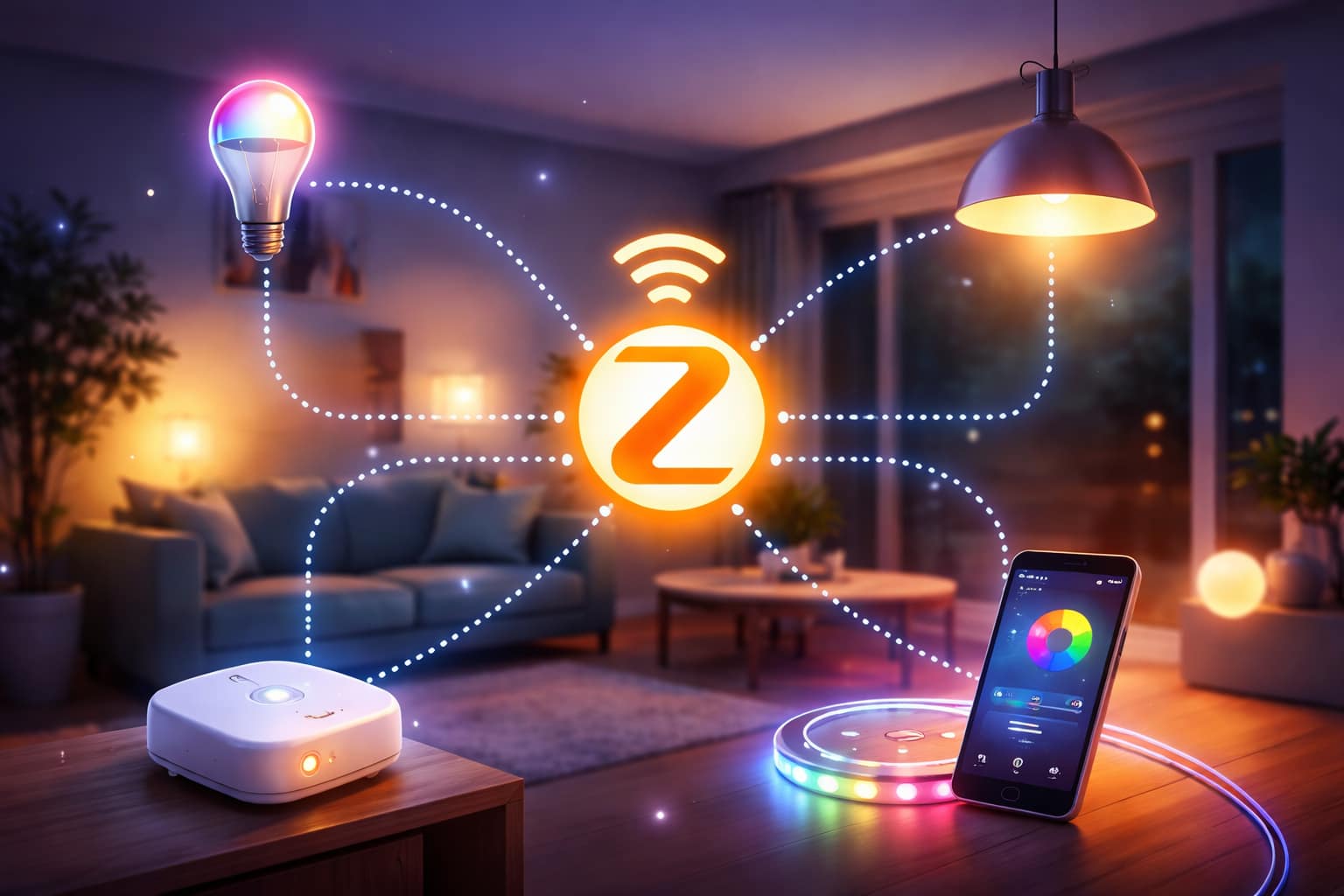
A Zigbee mesh network does not behave like a simple one-to-one wireless connection. Messages can hop between compatible devices until they reach the right destination. If one path becomes weak because of distance, walls, interference, or a device going offline, the network can often find another route.
Most Zigbee networks include three roles. The coordinator starts and manages the network. Routers forward messages and strengthen coverage. End devices, such as many battery-powered sensors, conserve power and usually depend on other devices to communicate.
This is why a Zigbee setup often becomes more reliable as it grows, as long as the added devices are placed well. Mains-powered bulbs, plugs, switches, and repeaters can help form stronger routes between rooms. Battery-powered sensors are useful for automation, but they should not be relied on to extend coverage.
How to Set Up Zigbee Smart Lighting
A basic Zigbee smart lighting setup starts with the hub or coordinator. Connect it to your chosen smart home platform, complete the app or software setup, and make sure the network is ready before pairing bulbs, plugs, switches, or sensors. Starting with the hub first avoids many pairing and compatibility problems later.
Next, add one device at a time. Power the device, put it into pairing mode using the manufacturer’s instructions, and let your controller discover it. Once it appears, give it a clear name based on the room or function, such as “Kitchen ceiling,” “Hallway motion,” or “Bedside lamp.” This keeps scenes and routines easier to manage as the system grows.
Placement matters from the beginning. If the hub is at one end of the home, add powered Zigbee devices between the hub and distant rooms so the mesh has better routes. Thick walls, metal appliances, large furniture, and crowded 2.4 GHz environments can all reduce signal quality.
After pairing, organize lights by room and create simple scenes before building complex automations. Start with basic routines such as evening dimming, movie mode, hallway night lights, or sunrise-style wake-up lighting. For more planning help, the smart lighting setup guide covers broader layout and setup decisions.
Best starter path:
- Set up the hub or coordinator first.
- Add one or two lights in the room closest to the hub.
- Add powered devices toward distant rooms to build the mesh.
- Add sensors only after the basic network is stable.
- Create simple scenes before building advanced routines.
Zigbee Compatibility Checklist
Zigbee compatibility is one of the most important things to check before spending money. Many brands offer Zigbee lighting products, including Philips Hue, IKEA Tradfri, Sengled, Ledvance, and other smart home manufacturers. However, “Zigbee” on the box does not always guarantee that every feature will work perfectly with every hub.
Do not buy a Zigbee bulb, plug, switch, or sensor just because it says “Zigbee” on the box. Always check whether your hub supports that exact device and the features you need, such as dimming, color control, scenes, or sensor triggers.
Start by checking whether your hub supports the device category you want: bulb, strip, plug, switch, button, or sensor. Then check whether the specific features you care about are supported, such as dimming, color temperature, RGB color, groups, scenes, energy monitoring, or occupancy triggers.
Hub choice also affects how flexible your setup will be. Brand hubs can be simple and polished, while broader controllers may support more device types across different manufacturers. Voice assistants can also be part of the setup; when paired with voice-controlled lighting systems, Zigbee lights can be adjusted hands-free in kitchens, bedrooms, entryways, and accessibility-focused homes.
Compatibility questions to ask:
- Does the device pair directly with my hub?
- Will all features work, or will it only support basic on/off control?
- Does the brand require its own bridge for updates?
- Will the device still work locally if internet access is down?
- Can I mix this device with other brands in the same room or scene?
If you want to understand how lighting, hubs, sensors, apps, and automations fit into a wider home environment, our guide to creating integrated smart lighting environments is a useful next step.
Automation and Everyday Use
Zigbee smart lighting becomes more valuable when it works with sensors, schedules, switches, and scenes. A simple app-controlled bulb is useful, but automation is where Zigbee starts to feel different. Lights can turn on when someone enters a hallway, dim automatically in the evening, or switch to warmer tones before bedtime.
Motion-based lighting is one of the easiest upgrades to understand because the benefit is immediate. A hallway, bathroom, stairway, pantry, or garage light can react without anyone touching a switch. For hallway-specific ideas, our best LED lights for hallways guide covers motion-friendly lighting options for safer, brighter corridors. For this kind of occupancy-based routine, a compact Zigbee motion sensor for automatic hallway or bathroom lights is a natural upgrade once the basic network is stable.
More advanced automations can coordinate several fixtures at once. A morning scene can gradually increase brightness, a movie scene can dim the main lights and keep accent lights on, and a night routine can lower brightness to avoid harsh light. Zigbee is well suited to these routines because the devices are designed to work together through the same lighting network.
Troubleshooting and Coverage Tips
Most Zigbee smart lighting problems come from weak routing, interference, incompatible devices, or rushed pairing. If a light stops responding, start with the simple fixes: power cycle the device, check that the hub is online, confirm the device is still paired, and look for recent firmware or platform updates.
Because Zigbee often uses the 2.4 GHz band, crowded Wi-Fi channels, thick walls, large appliances, and long distances can affect performance. If your setup is unreliable in one part of the home, the solution is often to improve routing rather than replace the entire system.
Large homes or layouts with weak rooms may need extra powered Zigbee devices between the hub and the problem area. In that situation, add a Zigbee smart plug to extend mesh coverage in weak rooms, especially where a lamp or appliance already makes a plug useful.
For larger systems, some hubs can show network maps, route quality, and signal strength. These tools help identify dead zones, overloaded routes, or devices that should be moved. Outdoor areas need extra care because distance, walls, weather, and IP ratings all matter when extending smart lighting beyond the house.
Common fixes:
- Move the hub away from dense electronics and metal objects.
- Add powered Zigbee devices between the hub and weak rooms.
- Reset and re-pair devices that repeatedly stop responding.
- Keep firmware updated when your hub supports updates.
- Avoid relying on battery sensors to strengthen the mesh.
Is Zigbee Smart Lighting Worth It?
Zigbee smart lighting is worth it if you want a setup that can grow from one room to a whole home. It is especially useful when reliability, automation, sensors, and multi-room control are more important than the absolute simplest installation.
What Should You Choose?
Choose Zigbee smart lighting if you want reliable automation, flexible device choices, and a system that can expand over time. Choose Wi-Fi lighting if you only need a few simple standalone lights and do not want to add a hub.
- Small room: Wi-Fi may be enough for one or two basic lights.
- Whole home: Zigbee is usually better for coverage and growth.
- Automation: Zigbee works well with sensors, buttons, scenes, and schedules.
- Compatibility: Always check hub support before buying devices.
- Long-term setup: Zigbee is stronger when you plan to add more devices later.
Zigbee will also continue to matter as smart home standards evolve. Newer ecosystems may improve cross-platform control, but Zigbee lighting remains a practical foundation because many homes already use Zigbee bulbs, plugs, switches, and sensors. For more related lighting topics, the LED knowledge center collects additional guides in one place.
FAQ
Do Zigbee Lights Need a Hub?
In most setups, yes. Zigbee lights usually need a hub, bridge, or coordinator to create and manage the Zigbee network. Some smart speakers and smart home controllers include Zigbee hub support, but compatibility still depends on the specific device and ecosystem.
Is Zigbee Better Than Wi-Fi for Smart Lights?
Zigbee is usually better for larger smart lighting systems because it uses a separate low-power mesh network. Wi-Fi is simpler for one or two lights, but Zigbee is stronger when you want many devices, sensors, scenes, and whole-home automation.
What Should I Buy First for a Zigbee Lighting Setup?
Start with a compatible hub or coordinator, then add bulbs or switches in the first room you want to control. After that, add powered devices to strengthen coverage and sensors only when you are ready to automate routines.
Why Do Some Zigbee Lights Stop Responding?
The most common causes are weak mesh coverage, interference, poor placement, firmware issues, or a device that did not pair correctly. Adding powered devices between the hub and weak areas often improves reliability.
Key Takeaways
Zigbee smart lighting is a strong choice for homes that need reliable multi-room lighting, sensors, scenes, and automation. It is most useful when you plan to expand beyond a few simple smart bulbs.
Before buying, focus on hub compatibility, device features, and mesh coverage. A good Zigbee setup depends on the right coordinator or hub, compatible lighting devices, and powered devices placed where they can strengthen the network.
For a small setup, Wi-Fi lighting may be simpler. For a growing smart home with automation, Zigbee usually offers a better balance of reliability, low power use, and long-term flexibility.
Sharing This Guide
If you found this guide helpful, save it for later or share it with someone planning a Zigbee smart lighting setup. It is especially useful for beginners, homeowners, and DIY users comparing hubs, bulbs, sensors, and mesh coverage.
Share using the links below:
Interested in learning more? Browse all related articles in our smart home lighting category section.