Why Do LED Lights Turn On by Themselves? 7 Fixes That Work
Quick answer: LED lights usually turn on by themselves because of a hidden smart schedule, power-restore setting, motion sensor, remote interference, ghost voltage, incompatible dimmer, faulty controller, or loose wiring. Start by disabling automations, checking power-on behavior, and testing a known-good bulb before replacing parts.
If your LED lights turn on randomly at night, after a brief power outage, or when the switch is off, the trigger is usually in the control path rather than the LED itself. Buzzing, heat, burning smells, or repeated breaker trips are warning signs that the circuit should be checked professionally.
Table of Contents:
- Why Do LED Lights Turn On by Themselves in the First Place?
- The Most Common Electrical Causes
- When Ghost Voltage Is Enough to Trigger a Glow or Pulse
- How a Bad Dimmer Can Confuse LED Drivers
- Smart Settings That Can Turn LED Lights On by Themselves
- Check Hidden Schedules, Scenes, Geofencing, and Power-On Behavior
- Mistakes People Make During Diagnosis
- A Practical Troubleshooting Order
- Switches, Sensors, and Controllers to Inspect
- Can Remote Interference or Motion Sensors Turn LED Lights On?
- LED Lights Turn On by Themselves: Fixes to Try First
- When Should You Call an Electrician?
- Key Takeaways
- Sharing This Guide
Why Do LED Lights Turn On by Themselves in the First Place?
In most homes, the real issue is not that an LED randomly activates. The problem is that the light’s driver detects a small signal, brief pulse, or unstable control command and reacts to it. Since LEDs use very little power compared to older lamps, even a tiny amount of unwanted energy can create a visible response. Traditional incandescent bulbs needed much more sustained current, whereas many LED circuits can react to short irregularities.
This problem often shows up in homes with dimmers, smart switches, motion sensors, strip light controllers, or older wiring. If the circuit is leaking a low signal, a timer is still active, or a control device is failing, the lamp may briefly turn on, flash, or fully illuminate. The LED lighting troubleshooting guide is a useful starting point for a broader baseline on symptoms that overlap with this issue.
If the light turns on at the same time every day, suspect a schedule, sensor, or automation issue first. If the timing seems random, focus more on voltage leakage, faulty connections, or a malfunctioning control device.
The Most Common Electrical Causes
The first group of causes is purely electrical. A bad wiring connection can create intermittent contact, and a power fluctuation can briefly activate a sensitive LED driver. This is more common in circuits with multiple switches, long wire runs, or combination devices that share a box with other electronics. Even when the bulb itself is fine, the circuit feeding it may be unstable.
Another possibility is that the light is not fully shutting off when you think it is. Some fixtures continue to receive a faint charge due to wiring layout, incompatible dimmers, or cheap internal components. This is why randomly turning on and weakly glowing are often related symptoms of LED lights. If your lamp sometimes turns on and other times only emits a faint shimmer, check out this explanation of LED lights that glow when off to see if it applies to your case.
LEDs are so efficient that even small amounts of electrical energy matter. According to the U.S. Department of Energy, LED lighting uses far less energy than older lamp types. This is great for efficiency, but it also means that control compatibility matters much more than many homeowners expect when signals are weak or unstable. See the U.S. Department of Energy’s LED lighting efficiency guidance for more information about that sensitivity.
Could Ghost Voltage Be Enough to Wake the Circuit?
Yes, ghost voltage is one of the most common reasons people ask why their LED lights turn on by themselves after replacing older bulbs. Ghost voltage is a small induced voltage that appears on a conductor that is supposedly off. With an incandescent lamp, that tiny charge often did nothing. However, with an LED, it can be enough to create a glow, a pulse, or a short activation because the driver electronics react faster.
This often occurs in boxes where switched wires are close to always-live conductors or on long cable runs. It is also common when a switch does not fully isolate the load. If your LEDs seem to turn on briefly and then turn off, this low-level leakage is a likely cause. A smart plug with energy monitoring can help you identify unusual power usage at the outlet level and eliminate hidden schedules or irregular feed activity before opening wall boxes.
Could a Faulty Dimmer Switch Be Sending the Wrong Signal?
A faulty dimmer switch is another frequent cause, especially when the light is technically off but still receives chopped current. Many older dimmers were designed for incandescent lights, not LEDs. When an LED driver sees that irregular waveform, it may flicker, pulse, or turn on briefly. This is one reason why dimmers are often the first thing to check on mixed-age home circuits.
The problem is more likely to occur when the dimmer load is too low. For example, a dimmer expecting a larger wattage may malfunction if you only connect modern, low-power bulbs, such as 8–10W LED replacements for old 60W lamps, or 13–15W LEDs for 100W bulbs. This mismatch can cause the dimmer to malfunction when turned off. If you notice buzzing, shimmering, or inconsistent dimming, check out these causes of LED flickering.
Smart Settings That Can Turn LED Lights On by Themselves
If the wiring looks normal, shift your attention to the control layer. Smart bulb automation, hub routines, voice assistant rules, app scenes, geofencing, and power-restore settings can turn lights on without anyone touching the switch. This is why people sometimes mistakenly believe the fixture is faulty when the real problem is software-related. A sunrise routine, vacation mode, motion rule, or power-restore setting can explain why LED lights turn on by themselves after a brief power outage.
The situation becomes even more confusing when the app is installed on multiple phones or when an old scene remains active after a setup change. In some systems, power restoration tells the bulb to return to its last state. In others, a hub sends a delayed command after reconnecting. If you are trying to decide whether to troubleshoot the bulb or the wall control, this comparison of smart bulbs vs. smart switches helps clarify where commands usually originate.
Check Hidden Schedules, Scenes, Geofencing, and Power-On Behavior
This is one of the first questions that needs answering because it is easy to miss. For example, a schedule may still be active on an app you no longer use, or geofencing may be triggered when someone enters a set radius around your home. In smart systems, the trigger does not need to be obvious. One duplicated routine could explain why the lights turn on at the same time every evening, morning, or after the internet reconnects.
Also, check for “power-on behavior” settings. Some smart bulbs allow you to choose whether they stay off or turn on automatically after power returns. This is important if your home experiences a short power interruption that lasts less than a second. Even tiny events can matter because LEDs react instantly, unlike old bulbs, which hid brief irregularities better. ENERGY STAR’s guide to LED lighting basics reminds us that performance depends on the entire system, not just the lamp.
Mistakes People Make During Diagnosis
A common mistake is replacing the bulb first and assuming the problem is solved if the behavior changes slightly. In reality, the new lamp may simply react differently to the same fault. Another mistake is testing too many things at once. If you swap the bulb, reset the app, change the dimmer, and move the lamp to another room all on the same day, it becomes difficult to determine which change mattered. Troubleshooting works best when each test isolates one variable.
People also underestimate control overlap. For example, a switch, remote, app routine, and sensor can all be linked to the same light. If any of them sends a command, the lamp responds. This is why this issue sometimes has nothing to do with the bulb or fixture. If your light refuses to stay off after you turn it off, check this related guide on why LED lights won’t turn off.
Do not assume that random activation is harmless if it is accompanied by warmth, buzzing, or a burnt smell. These signs indicate a control or wiring fault that requires immediate attention and are not simply automation issues.
A Practical Troubleshooting Order
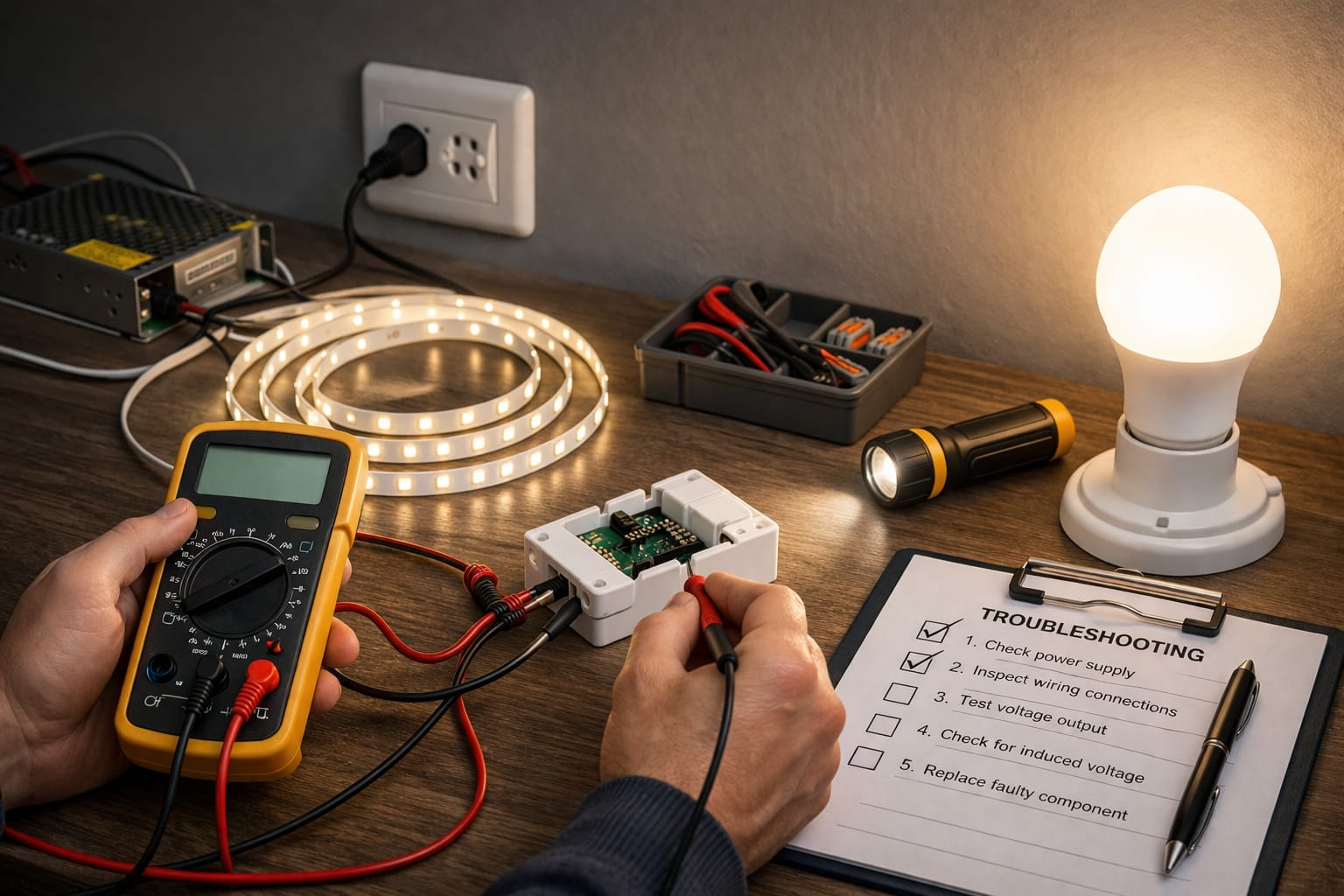
The best way to figure out why LED lights turn on by themselves is to progress from simple, non-invasive checks to more technical ones. First, check the control settings. Then, test the bulb and fixture. Next, inspect the switch or controller. Only then should you suspect wiring. This order saves time because software and compatibility issues are common, while full wiring faults are less frequent but more serious.
- 1
Disable every app routine.
Turn off schedules, scenes, geofencing, vacation mode, and voice assistant routines. Leave the setup unchanged for at least one full day to see if the light still turns on.
- 2
Check power-on behavior.
Set smart bulbs and smart switches to stay off after a power outage. This prevents the light from turning on automatically after a brief interruption.
- 3
Swap in a known-good bulb.
Use a reliable LED bulb from another room. If the behavior remains the same, the issue is likely with the control path rather than the lamp itself.
- 4
Bypass any suspect dimmers or controllers.
Remove the dimmer or controller from the circuit, if possible, or replace it temporarily with a standard switch. This will quickly expose any compatibility issues.
- 5
Reset remotes, receivers, and sensors.
Remove batteries from unused remotes, reset strip light controllers, reduce motion sensor sensitivity, and check whether nearby devices are triggering the receiver.
- 6
Inspect for loose or shared wiring problems.
If the light still turns on, check for a bad wiring connection, shared neutrals, or mistakes in the switch leg. At this point, the issue is less likely to be a simple setting.
- 7
Measure before replacing more parts.
Use a meter or ask an electrician to verify whether the circuit has voltage when the switch is off. Measurement beats guesswork every time.
This process also helps you distinguish this issue from other erratic behaviors, such as brief flashes or random pulses. If your fixture exhibits both behaviors, review these common causes of random LED light blinking while testing each step.
Switches, Sensors, and Controllers to Inspect
Many strip lights, smart fixtures, and retrofit kits rely on a controller between the power source and the LEDs. An LED controller problem can produce random activation when the controller reboots, receives interference, or fails internally. Cheap RF remotes are notorious for odd behavior, and some motion-capable controls become unreliable when the sensitivity is set too high or when nearby heat sources keep retriggering the circuit.
This is also where the solution becomes device-specific. The solution could be a controller reset, a firmware update, adjusting the sensitivity, or replacing the controller. If the issue started after a recent installation, do not ignore the possibility of a simple setup error. Many confusing symptoms result from reversed conductors, mixed controller types, or poor terminal connections. This breakdown of common LED wiring mistakes is especially helpful when the problem arises after a DIY project.
Can Remote Interference or Motion Sensors Turn LED Lights On?
Absolutely. Remote interference can trigger some RF-controlled lights if a nearby device uses a similar frequency or if the receiver is poor quality. A motion sensor issue is just as common. Air movement from vents, warm equipment, pets, reflective surfaces, or overly sensitive settings can repeatedly activate the lights. In these cases, the activation is not random; it is reacting to an unidentified trigger.
If your sensor is aimed at a hallway, doorway, or exterior glass, adjust the angle and reduce the sensitivity before replacing parts. If the switch is a dimmer and the fixture already exhibits shimmering or unstable low-end dimming, replacing the dimmer with an LED-compatible one is often a smarter solution than buying more bulbs.
LED Lights Turn On by Themselves: Fixes to Try First
Once you know where the signal is likely coming from, the solution becomes more obvious. Disable forgotten automations. Change the bulb’s power-on behavior. Replace an incompatible dimmer. Reset a faulty controller. Remove remote interference. Reposition a motion sensor. Tighten or remake a loose connection. These are the seven fixes that solve most cases without requiring a full circuit overhaul.
Here is a practical checklist to work through in order:
- ✓ Turn off all schedules, scenes, vacation modes, geofencing rules, and voice assistant routines.
- ✓ Set smart bulbs and smart switches to stay off after power returns.
- ✓ Test one known-good bulb in the same fixture before buying replacements.
- ✓ Bypass or replace dimmers and controllers that are not clearly LED-compatible.
- ✓ Remove batteries from unused remotes, reset receivers, and check for remote interference.
- ✓ Re-aim motion sensors and lower their sensitivity before assuming they are defective.
- ✓ Inspect terminal screws, wire nuts, and recent DIY changes for loose conductors.
If the switch itself feels unreliable, it may make sense to replace it with a higher-quality, LED-compatible wall switch in rooms where surprise activation or brightness changes are especially disruptive. The goal is to stop random triggering and restore predictable lighting behavior that feels stable day after day.
When a fix works, leave everything else unchanged for a while. Stable behavior over several days is a better confirmation than one quiet evening, especially with automation and sensor-related problems.
Remember that good room lighting depends on proper fixture choice. For instance, general comfort lighting typically ranges from 2700K to 3000K, whereas more alert task lighting usually uses 4000K to 5000K. These numbers won’t solve a faulty control path, but they can help you distinguish between an electrical issue and a lighting setup that simply doesn’t suit the space. You can learn more about system-wide lighting basics in the LED Knowledge Center.
When Should You Call an Electrician?
This final section addresses the most common questions that arise after basic testing, such as whether the issue is safe to monitor, whether the bulb is to blame, and whether replacing parts without taking measurements is worthwhile. These details will help you determine if you are dealing with a minor control problem or if the circuit needs professional attention.
Can a bad LED bulb really turn itself on?
A defective bulb can contribute to the issue, but it is rarely the only reason a light turns on unexpectedly. Most cases involve a dimmer, smart control, sensor, or stray voltage. Test with one known-good bulb first. If the behavior persists, the fault is probably upstream rather than inside the lamp.
Are smart lights more likely to activate unexpectedly than regular LEDs?
Yes, because they add software, radios, schedules, and power-restore settings to the system. A standard LED bulb mainly reacts to electricity, while a smart bulb can also respond to automations. Check scenes, geofencing, and restart behavior first, especially if the light turns on at similar times each day.
When should you stop testing and call a professional?
Call a professional if the light turns on with a buzzing sound, excessive heat, a burning smell, repeated breaker trips, or if you find loose wiring. These signs indicate issues beyond simple settings. If there is voltage present at the fixture when the switch is off, the circuit needs to be properly diagnosed before replacing any parts.
Key Takeaways
If you have been wondering why your LED lights turn on by themselves, the answer is usually in the control path rather than in the bulb itself. The most common causes in real homes are dimmers, sensors, smart routines, controller faults, ghost voltage, remote interference, power-restore settings, and loose wiring.
The smartest approach is to test in the following sequence: disable automations, check power-on behavior, try a known-good bulb, and bypass any suspect dimmers or controllers. Only then should you move toward inspecting the wiring. This order makes diagnosing the problem easier because it separates software issues from electrical faults.
Once the behavior stops, maintain the stable setup for several days before making more changes. This will give you confidence that the real trigger has been removed and help you determine whether the issue was a one-time control mistake or a symptom of a deeper circuit problem.
Sharing This Guide
If you found this guide helpful, save it or share it with someone dealing with the same problem.
Interested in learning more? Browse all related articles in our category section.