Why Won’t My LED Lights Turn Off? Causes & Safe Fixes
If your LED lights won’t turn off, first check whether they are faintly glowing, staying partly bright, or refusing to shut off completely. A faint glow usually points to leakage current, an incompatible dimmer, an illuminated switch, a smart control, or stored charge inside the LED driver. A light that stays bright after the switch is off is more likely to involve a bad switch, control issue, or wiring fault.
This guide shows you how to troubleshoot the problem safely, what to test first, and which fixes usually solve LED lights that stay on after being switched off. You will also learn when a simple bulb, dimmer, switch, or driver replacement makes sense and when the symptoms are serious enough to call an electrician.
Quick Answer
LED lights usually stay on after being switched off because a small amount of current is still reaching the lamp or driver. The most common causes are incompatible dimmers, illuminated switches, worn wall switches, smart controls, LED drivers, or wiring problems.
- A faint glow usually means leakage current, stored charge, or a dimmer/switch compatibility issue.
- A light that stays bright after “off” is more urgent and can point to a switch, control, or wiring issue.
- Test the bulb in another fixture before replacing parts.
- Check dimmers, smart switches, and illuminated switches early because they often leak standby current.
- If you are not sure whether power is still present, confirm it with a non-contact voltage tester before touching wiring.
Table of Contents:
- Quick Answer
- Why LED Lights Stay on After Switch-Off
- Start with the Safest Checks First
- Fast Diagnosis Path: Test These First
- Dimmer Mismatch Is a Common Cause
- Check Switch and Wiring Faults Next
- LED Strip Lights and Drivers Behave Differently
- Common Troubleshooting Mistakes
- When to Replace the Bulb, Switch, Dimmer, or Driver
- Questions About LED Shutoff Issues
- Key Takeaways
- Sharing This Guide
Why LED Lights Stay on After Switch-Off
In most cases, the issue comes down to one of three things: residual current, a control device that does not fully isolate power, or an LED lamp-and-driver combination that is sensitive to tiny voltage leaks.
Because LEDs use far less power than older bulbs, even a small amount of stray current can keep them visible in a dark room. This explains why a fixture that worked normally with incandescent bulbs may suddenly glow, flicker, or stay partly lit after an LED upgrade.
The exact symptom matters. If the LED light glows faintly when off, you are probably dealing with leakage current, stored charge, or a control compatibility issue. If the light stays clearly bright, treat the problem more seriously because the switch, smart control, or wiring may not be interrupting power correctly. If you have seen a faint afterglow when the switch is off, then you are experiencing a closely related symptom rather than a completely separate issue.
A dim glow and a bright light after shutoff are not the same problem. A dim glow often points to leakage current or stored charge. Clear brightness after “off” points more toward a switch, smart control, or wiring fault.
Start with the Safest Checks First
Before removing switch plates or inspecting conductors, perform checks that do not expose you to live wiring. Turn the light on and off a few times. Test the bulb in a different fixture. See whether the problem appears in one room, one circuit, or across several fixtures. That pattern is important.
If the issue follows the bulb, the lamp or its internal driver may be faulty. If the problem stays with the same circuit, the switch, dimmer, smart control, driver, or wiring is more likely to be the cause.
For more recurring fixture problems, use our LED lighting troubleshooting guide to compare symptoms before replacing parts. This is useful when shutoff problems appear together with flicker, buzzing, blinking, heat, or dimming issues.
Fast Diagnosis Path: Test These First
The fastest way to figure out why your LED light won’t turn off is to start with the least invasive test and move toward the more technical checks only if needed.
This prevents you from blindly replacing bulbs, dimmers, and switches. It also helps you separate a harmless afterglow from a real shutoff problem that deserves more attention.
- 1
Move the bulb into another fixture.
If the problem follows the bulb, start with the lamp or its internal driver. If it disappears, the original circuit or control device is more likely at fault.
- 2
Check for a dimmer, smart switch, or illuminated switch.
Many LED shutoff problems start here because these controls may allow a tiny standby current that older bulbs would not show.
- 3
Compare faint glow versus real brightness.
A faint glow is usually less urgent. A fixture that stays visibly bright after shutoff should be treated as a possible switch, control, or wiring issue.
- 4
Look for a pattern by room or circuit.
One fixture usually points to a local part issue. Several fixtures on one circuit can suggest wiring, neutral, or shared-control problems.
- 5
Open the circuit only after basic checks fail.
Once you have ruled out the bulb and control type, it makes more sense to inspect switch wiring carefully or call a licensed electrician.
This sequence answers the most important question first: is the problem coming from the bulb, the control device, or the circuit? That matters because many LED lights that stay on after the switch is off are caused by compatibility or control behavior, not by a dangerous wiring fault.
Dimmer Mismatch Is a Common Cause
Many LED lights that won’t turn off are related to dimmer compatibility. Older dimmers were designed for the higher power draw of incandescent bulbs. They often require a minimum load to function properly, and an LED setup may not provide enough load for clean shutoff.
The result can be flicker, delayed shutoff, a faint glow, buzzing, or a fixture that never fully goes dark. If the problem started right after you installed LED bulbs, the dimmer should be one of the first things you check.
This is especially true when several low-wattage lamps share one dimmer. For example, a line that used to power three 60-watt incandescent bulbs may now power three 8-watt LEDs, which changes how the control behaves. If your dimmer switch won’t turn off LED bulbs cleanly, switching to an LED-compatible dimmer for low-wattage bulbs is often the cleanest fix. We also explain related symptoms in our guide to LED bulbs that do not dim properly.
Do not assume that a “dimmable” bulb will work correctly with every dimmer. A bulb may be dimmable in theory but still behave poorly with a specific older dimmer model.
Residual Current Can Create a Visible Afterglow
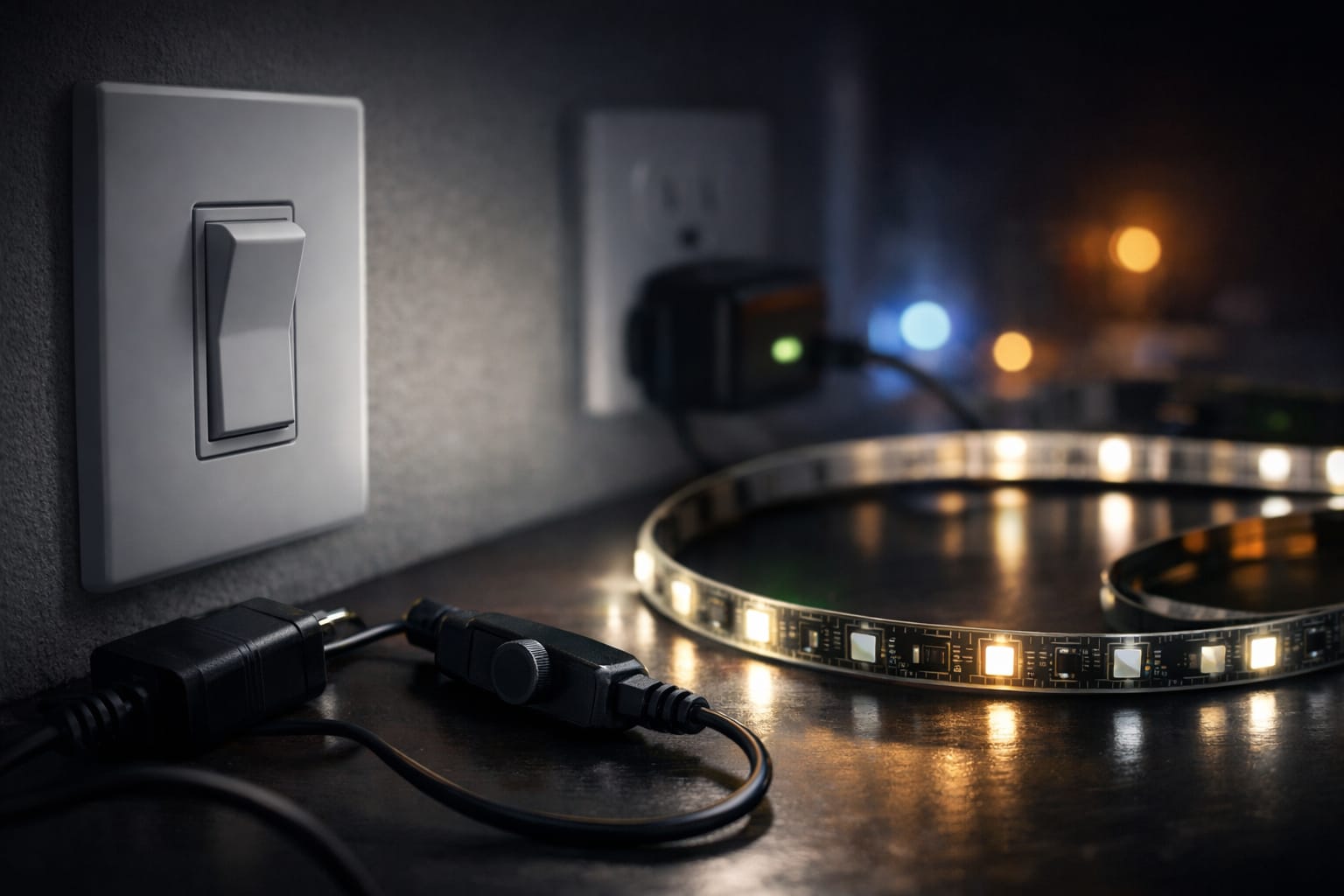
Residual current is the small amount of electricity that still reaches the fixture when the light appears to be off. In some cases, a dimmer, illuminated switch, smart control, or parallel wiring path allows this small charge to build up inside the LED driver.
You may also hear this described as the “capacitor effect.” The basic idea is simple: LEDs need so little power that stray electrical energy, which would have gone unnoticed with older bulbs, can become visible as a faint glow. This is why an LED light can stay faintly on without the fixture being fully powered in the way most homeowners imagine.
Check Switch and Wiring Faults Next
If no dimmer is involved, the next question is whether the switch is actually interrupting the correct conductor and shutting the circuit down properly.
A worn switch, an illuminated switch circuit, weak contacts, or a reversed line-and-load arrangement can produce a persistent glow or incomplete shutoff. In older installations, underlying problems can also include a switched neutral, loose terminations, or mixed conductors in a multiway setup.
This brings up the safety question: is the problem dangerous or just annoying? A faint afterglow may be low-risk, but visible brightness after shutoff can indicate electrical leakage or a real switching fault. If you suspect wiring issues, review these common LED wiring mistakes before touching anything because misjudging line location can turn a simple repair into a hazardous one.
What a Failing Wall Switch Usually Looks Like
A bad switch does not always fail completely. Sometimes it still turns the light on, but it leaves a weak current path after shutting off. You may notice a softer click than usual, heat around the switch plate, intermittent flicker, or a problem that gets worse over time instead of appearing all at once.
In a standard single-pole setup, replacing a worn switch is often cheaper and faster than prolonged trial and error. It makes sense to install a single-pole replacement wall switch when the bulb is known to be good and the circuit shows inconsistent shutoff behavior. It is also worth checking if the same circuit has shown related symptoms, such as random LED blinking, because that can point to a broader switch or connection issue.
LED Strip Lights and Drivers Behave Differently
LED strips introduce another variable because they usually rely on a driver, power supply, controller, or smart module. If your LED strip lights won’t turn off, the strip itself may not be the part causing the problem.
Some drivers hold a charge briefly. Some react poorly to faulty controls. Some malfunction in a way that leaves a partial output after switching. This can make the strip appear defective when the power supply chain is actually the issue.
Aging drivers can also cause delayed shutoff, uneven brightness, buzzing, heat, or a low-level glow at one end of the strip. If you have noticed those symptoms together, refer to our article on LED driver failure signs and solutions before replacing the strip itself.
If a strip remains dimly lit only at the far end, suspect driver output, controller standby leakage, or a connected smart module before assuming the strip itself has failed.
Can Smart Controls Keep LED Lights Faintly Powered?
Yes, and this surprises many homeowners. Some smart switches, smart bulbs, relays, and controllers use standby power for communication, so the circuit does not behave exactly like a standard mechanical switch.
In the wrong setup, that standby behavior can make it look as if the LED lights will not turn off, even when the actual issue is the control design. This is especially common when smart bulbs and smart wall switches are mixed on the same fixture without a clear control plan.
If the issue started after a smart home upgrade, compare your setup with the pros and cons of smart bulbs versus smart switches. That can help you decide whether the light is functioning as designed, misconfigured, or actually malfunctioning.
Common Troubleshooting Mistakes
One common mistake is assuming that any glow means the lamp is receiving full mains power. In reality, a tiny leakage path can be enough to make an LED visible, especially in a dark room.
Another mistake is repeatedly replacing bulbs without checking the switch type, dimmer compatibility, or driver. If the LED light won’t turn off in one specific fixture but works normally elsewhere, the bulb may not be the real problem.
A third mistake is overlooking smart controls entirely. When a smart switch or bulb is involved, the circuit no longer behaves like a simple mechanical setup. The smart module may be leaking standby power or keeping the fixture partially active by design.
When to Replace the Bulb, Switch, Dimmer, or Driver
A practical rule is to replace the bulb only after confirming that the issue follows it to another fixture. Replace the dimmer if the bulbs are dimmable and the problem started after an LED conversion. Replace the switch if the shutoff feels inconsistent, the brightness remains clearly visible after the switch is turned off, or the fixture responds unpredictably. Replace the driver when strip lights or integrated fixtures show delayed fade-out, low-level glow, buzzing, heat, or related instability.
The checklist below turns those observations into a simple decision path. It also helps answer the question many homeowners have: can you fix this yourself, or is it time to call a pro?
- ✓ Swap the bulb into a known-good fixture before buying replacements.
- ✓ Check for dimmers, smart controls, and illuminated switches on the circuit.
- ✓ Treat full visible brightness after shutoff as more urgent than a faint glow.
- ✓ Replace worn switches early if they feel hot, click weakly, or behave inconsistently.
- ✓ Suspect the driver first when LED strip systems show a dim afterglow or delayed shutdown.
- ✓ Call an electrician if the wiring layout, neutral path, or line identification is unclear.
When an Electrician Makes More Sense
Call a professional if the light remains bright after shutting it off, if multiple fixtures on one circuit are malfunctioning, or if opening the switch box reveals confusing conductors, backstabbed connections, damaged insulation, or signs of heat. The same applies if you suspect a switched neutral or shared wiring path.
At that point, the cost of guessing is usually higher than the cost of a proper diagnosis. A faint LED glow may be a simple compatibility issue, but an incorrectly switched or partially energized circuit is not something to troubleshoot casually.
For reliable information on why LEDs behave differently from older lamps, refer to the U.S. Department of Energy’s LED lighting guidance and the ENERGY STAR guide to LED lighting basics, which explain how low power draw changes real-world control behavior. This lower wattage is exactly why a small leakage path can keep an LED light glowing when older bulbs would show no light at all.
Questions About LED Shutoff Issues
These questions cover the situations that confuse homeowners most: why an LED light won’t turn off completely, whether a faint glow is dangerous, which part to replace first, whether a dimmer switch can cause the problem, and why LED strips behave differently from standard screw-in bulbs.
Why won’t my LED light turn off completely?
The most common reason is that a small amount of current is still reaching the LED through a dimmer, illuminated switch, smart control, driver, or wiring path. LEDs need very little power to glow, so even a tiny leakage current can make the light look partly on.
Is it dangerous if an LED still glows after being switched off?
A faint glow is often caused by leakage current, dimmer mismatch, or stored charge, and it is usually not dangerous by itself. However, if the lamp remains noticeably bright, the switch feels hot, or multiple fixtures show the same behavior, treat it as a possible circuit fault and inspect it promptly.
Can a dimmer switch keep LED lights from turning off?
Yes. Older dimmers and some incompatible LED dimmers may not provide a clean shutoff with low-wattage LED bulbs. This can cause faint glow, delayed shutoff, buzzing, flicker, or a light that never fully goes dark.
Should you replace the bulb or the wall switch first?
Start by moving the bulb to a different fixture. If the problem follows the bulb, replace the bulb first. If the problem remains on the same circuit, inspect the dimmer, smart control, switch, or driver before buying more bulbs.
Why do LED strip lights stay on more often than regular bulbs?
LED strips often use drivers, controllers, and smart modules that can retain a charge or leak standby power. This makes afterglow and delayed shutdown more common than with a simple bulb socket. When strip lights remain dimly lit, check the power supply chain first, not just the strip itself.
Key Takeaways
If your LED lights won’t turn off, the most likely causes are leakage current, incompatible dimmer behavior, an illuminated or worn switch, a smart control, or a driver that does not fully shut down. The exact symptom matters: a faint glow usually points to stray current, while obvious brightness after shutoff deserves faster attention.
The smartest approach is to test before buying parts. First, move the bulb to another fixture. Then check whether the problem follows the lamp or stays with the circuit. After that, look at dimmers, smart controls, switches, drivers, and wiring patterns.
Going forward, match LED bulbs with compatible dimmers, do not ignore weak switch performance, and pay close attention to driver-based strip systems. Once you know whether the fault is in the bulb, control, driver, or wiring, the right fix becomes much easier to choose.
Sharing This Guide
If you found this guide helpful, save it or share it with someone dealing with the same issue.
Interested in learning more? Browse all related articles in our category section.