Best LED Strip Lights for Gaming Rooms and RGB Setups
The best LED strip lights for gaming rooms are RGBIC or smart LED strips that create a clean glow behind your desk, monitor, shelves, or wall edges without making the setup look messy. For most gamers, the best choice is a strip with smooth dimming, app control, saved scenes, and enough brightness to add atmosphere without shining directly into your eyes.
A strong gaming room LED lighting setup is not just about adding random RGB color. The right strip should match your room layout, your desk size, and the type of effect you want: monitor bias lighting, under-desk glow, wall accents, shelf lighting, or a more visible neon-style look.
Quick Answer
For most gaming rooms, the best LED strip lights are RGBIC smart strips placed behind the monitor, under the desk, or along shelves for indirect glow. Choose standard RGB strips for simple color, RGBIC strips for multi-color effects, neon rope lights for visible accents, and light panels if you want the wall itself to become part of the setup.
Table of Contents:
- Best Gaming Room LED Strip Setup by Use Case
- Why Gamers Care About Room Lighting
- What Makes LED Strip Lights Worth It for Gaming Rooms?
- Where to Place LED Strips for the Best Effect
- How Bright a Gaming Room Should Be
- Features to Check Before Buying
- Best LED Strip Light Styles for Gaming Setups
- Budget vs Premium Gaming LED Strips
- RGB vs RGBIC vs Addressable LED Strips for Gaming
- When Neon Accents Make Sense
- Smart Controls, App Scenes, and Game Sync Features
- Do Sync Modes Really Help?
- Mistakes That Ruin the Effect
- Gaming Room LED Strip Lights: Buyer Questions
Best Gaming Room LED Strip Setup by Use Case
The best LED strip lights for gaming rooms depend on where the lights will go and how visible you want them to be. A clean desk glow, a bright RGB wall accent, and a streaming background all need slightly different products.
✅ Best overall look
Use RGBIC smart strips behind the desk, monitor, or wall edge for multi-color glow without a complicated installation.
✅ Best clean setup
Hide LED strips under the desk, behind shelves, or along the rear outline of furniture so the room glows without exposed diodes.
✅ Best visible accent
Choose diffused neon rope lights for wall outlines, shelf shapes, curved lines, or any area where the light itself will be visible.
✅ Best streaming background
Use wall panels or geometric lights if the gaming room appears on camera and the wall needs to become part of the visual setup.
✅ Best budget setup
Start with one smart RGB or RGBIC strip behind the desk, then add one smaller accent zone only if the room still feels flat.
Why Gamers Care About Room Lighting
Gamers usually start with performance gear, but they often find that the room itself changes the experience more than expected. Good ambient gaming lighting reduces the sharp contrast between a bright monitor and a dark wall. This is one reason many people look for LED strip lights for gaming rooms after experiencing eye fatigue during long evening sessions.
A strong setup is not only about color. It’s also about depth, balance, and creating a cleaner visual frame around your desk. If you need a refresher on the basics, this beginner-friendly overview of LED strip lights explains the fundamentals before moving on to more advanced placement decisions. This is important because the best LED strip lights for gaming match your room size and how you use the space.
The most convincing gaming room lighting comes from an indirect glow on the walls, shelves, and edges of the desk. You don’t need maximum brightness. What you need is a layered look that complements the screen.
This is why a good gaming room LED lighting setup often combines a main perimeter glow with a smaller backlight setup behind a monitor or TV. When searching for RGB LED lights for gaming room design, people are usually trying to answer three questions: What looks best? What feels most comfortable? What is worth paying for?
What Makes LED Strip Lights Worth It for Gaming Rooms?
The biggest benefit is control. While cheap fixed-color lighting can brighten a room, LED strip lights let you adapt the mood to fast-paced shooters, story games, work, or streaming. This flexibility is what transforms a basic, colorful room into a space that feels intentional and comfortable night after night.
For desk-based setups, well-placed strips can soften the contrast around the screen. If you want a dedicated display glow, this guide to TV bias lighting strip options is useful because the same logic applies to monitors. The right backlight can reduce perceived glare and make dark scenes less tiring.
For most gaming rooms, the easiest starting point is an RGBIC smart strip because it gives you multi-color effects, app scenes, dimming, and music sync without needing a complex installation. This smart strip kit is a practical pick for desk backs, wall edges, and shelf glow if you want a strong RGB gaming look without moving into expensive panel systems.
Where to Place LED Strips for the Best Effect
LED strips are most effectively placed behind monitors, under desk edges, along shelves, and around the rear outline of furniture. This allows the light to bounce outward instead of shining directly into your eyes. A balanced LED strip lighting setup looks more premium because the glow appears architectural rather than exposed.
Visible strips can work, but hidden placement is safer for most rooms. If the LEDs are exposed, hot spots become obvious, making the setup look cheap. Many LED strip lights for gaming rooms look better when mounted a few centimeters back from the edge, allowing the wall to become the feature instead of the light source.
How Bright Should a Gaming Room Be?
Most gaming spaces feel best when the room is supportive rather than fully illuminated. For relaxation, a wall glow closer to the 2700K-3000K comfort range can feel softer. However, task corners near shelves or keyboards often benefit from 4000K-5000K. This is why color temperature control matters, even in RGB products.
As a rough benchmark, bedrooms often feel comfortable with around 150-300 lumens per square foot, while more active task zones can have around 300-500 lumens per square foot. Your gaming room’s LED lighting setup does not need to reach those numbers evenly everywhere, but they are useful when LED strip lights start to feel too dim or too bright.
Features That Matter Before You Buy
Before buying, focus on three things: light quality, control options, and how the product fits your room’s shape. People often chase the flashiest listing and forget that the best LED strip lights for gaming are the ones that can be installed neatly, dimmed easily, and quickly adjusted when you change games or room layouts.
✅ Brightness control
Look for smooth dimming and usable low-end brightness. Gaming rooms need flexibility, especially when one scene needs to work for both active play and winding down at night.
✅ Color behavior
Based on your visual goals, choose between single-color, multi-color, or fully animated zones. More color options typically result in stronger RGB lighting effects on walls and shelves.
✅ Control ecosystem
App control, voice commands, and saved scenes matter more than people expect. Quick switching is what makes a setup feel convenient instead of gimmicky.
✅ Installation shape
Straight strips are ideal for desks and monitor backs, while flexible, diffused products are better suited for curved wall accents or shelf outlines. The right form factor prevents messy corners and exposed hot spots.
If you need help understanding brightness and density, this LED strip brightness guide is worth reading before you buy. It makes it much easier to judge whether LED strip lights for gaming rooms will create a subtle halo, a bold wall wash, or something in between. This is also helpful when comparing color-changing LED strips that appear similar in product photos but behave very differently in real rooms.
Best LED Strip Light Styles for Gaming Setups
Not every room needs the same product type. Straight strips are usually best for gaming desk lighting and rear monitor glow. Diffused, rope-style products suit display shelves and wall outlines. Modular panels are more decorative and work best when the room itself is part of the visual content, such as a streaming background or creator setup.
If you are still deciding, this article on how to choose LED strip lights can help you match the form of the product to your room’s goals. In most cases, LED strip lights for gaming rooms should have one main purpose, such as providing desk halo lighting, illuminating a wall border, accenting a shelf, or serving as a decorative centerpiece. Attempting to use one product for multiple purposes often results in clutter.
Budget vs Premium Gaming LED Strips
A budget RGB strip can work well if you only want a simple glow behind the desk or monitor. For a more immersive gaming room, RGBIC strips usually feel more premium because they can show multiple colors at once, save more dynamic scenes, and make wall glow look less flat.
Premium systems make more sense if you need better app control, stronger sync features, smoother dimming, cleaner color transitions, or lighting that appears in a streaming background. If the room is mainly for casual gaming, one good smart strip is often more useful than several cheap strips placed everywhere.
RGB vs RGBIC vs Addressable LED Strips for Gaming
Standard RGB strips display one color throughout their entire length. RGBIC strips divide the strip into multiple color zones, and addressable systems produce more advanced movement and pattern details. For those building LED strip lights for gaming rooms, RGBIC is ideal because it provides a dynamic look without requiring a technical installation.
If you would like a more detailed explanation of the differences, compare this breakdown of RGB versus RGBIC strip behavior with this guide to addressable LED strip systems. Both are useful because the lighting setup in a gaming room can look either elegant or chaotic, depending on how much animation is introduced into the space.
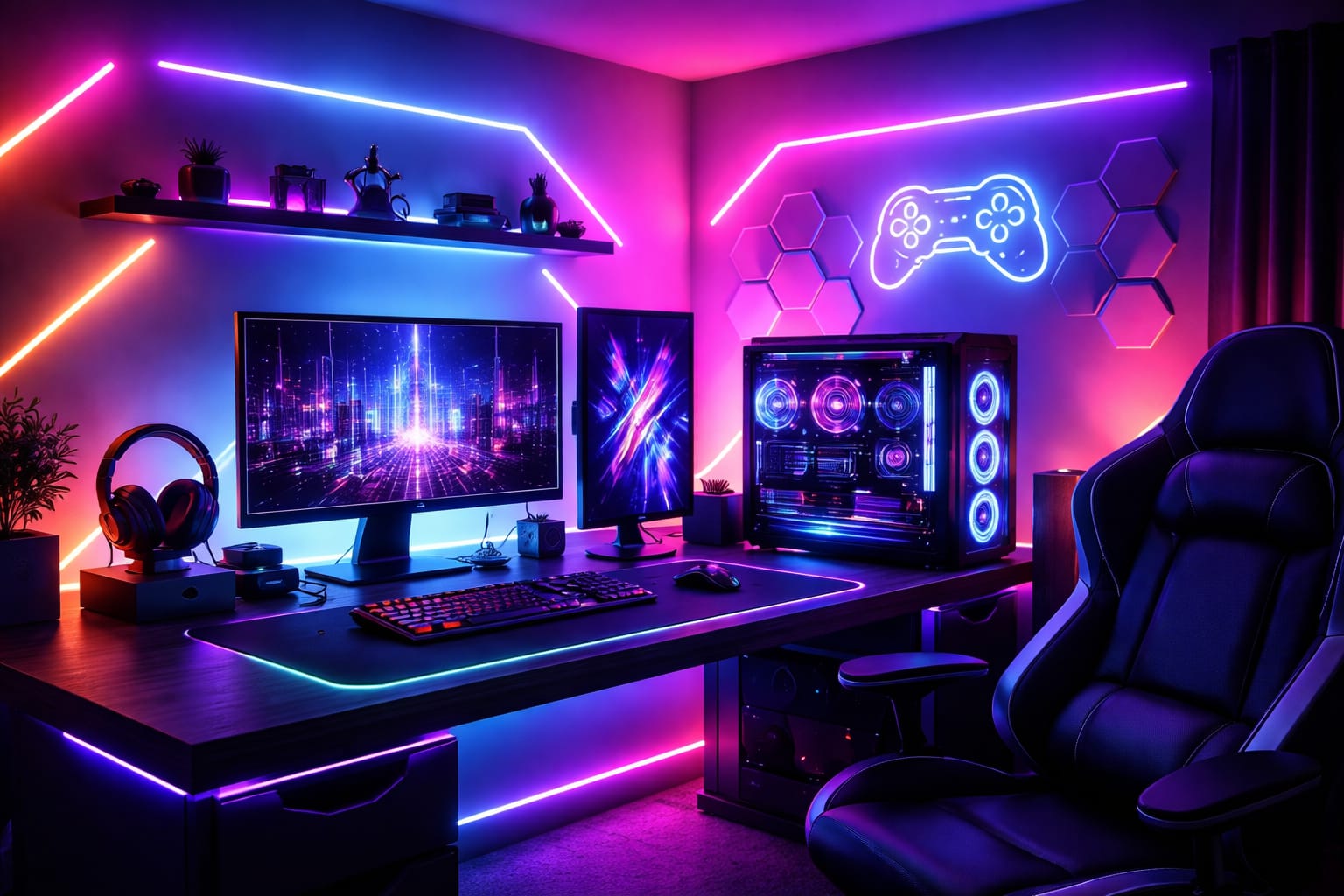
Are Neon Rope Lights Better for Visible Accents?
They can be. Neon-style rope lights use a diffused outer layer, so the result looks smoother when the product itself is meant to be visible. This makes them ideal for shelves, wall outlines, and creative shapes. In rooms where the LED strip lights will be seen directly, a diffused look is usually more polished than exposed diodes.
If you want visible wall outlines or shelf accents, this diffused accent light is a stronger choice than a basic exposed strip. It works well for decorative framing, curved lines, and ambient gaming lighting where you want a smoother neon-style look without the dotted appearance of standard strips.
Smart Controls, App Scenes, and Game Sync Features
Convenience matters more than most product listings admit. If it takes too many taps to adjust the brightness, scenes, or color temperature, you will stop using the smart features. The best LED strip lights for gaming rooms are more than just colorful. They adjust quickly, can be scheduled easily, and are simple to match with the rest of your devices.
This is where ecosystem compatibility becomes valuable. If your room already has smart speakers, bulbs, or plugs, this smart lighting setup guide can help you avoid purchasing isolated products. To create a practical, synchronized lighting experience for gaming, choose devices that allow you to save scenes for gaming, streaming, and relaxing, rather than forcing you to make manual changes every time.
Do Music Sync and Scene Presets Really Help?
For most people, presets are more helpful than music sync. The ability to switch with one tap between cool white focus mode, purple streaming mode, and warm late-night mode makes an LED lighting setup for a gaming room much more usable. Music sync is fun, but it becomes a secondary feature unless your room is designed for parties or content creation.
Panel systems can still make sense if you want the walls to be part of the design. These panels stabilize brightness and are best for visible geometric effects, especially if the room doubles as a camera background. While less subtle than standard LED strip lights for gaming rooms, they can completely reshape the feel of a plain wall.
Do not confuse scene effects with useful lighting. Fast-moving rainbow modes may look impressive for ten minutes, but they often become distracting during gameplay, work, or streaming.
Common Mistakes That Make a Setup Look Cheap
The most common mistake is using too much light in too many places at once. When every shelf, desk edge, wall, and monitor frame glows a different color, the room loses its structure. Good LED strip lights for gaming rooms should emphasize the layout of the space rather than blur it into constant visual noise.
Another common mistake is ignoring reflections and viewing angles. A clean LED strip lighting setup hides the light source whenever possible. If the strip is installed in a place where you can see the individual points, the result can look harsh. This is especially important when your monitor is already bright and the surrounding light competes with the image.
Start with one dominant zone, one supporting zone, and one optional accent. This simple hierarchy keeps colors readable and makes it easier to adjust the room later without rebuilding everything.
People also underestimate how much plain white light helps. A space built only around saturated RGB lighting effects may be exciting, but it’s not practical. Even if you love color, having one neutral scene available makes LED strip lights far more useful for a gaming room setup, cable management, and everyday use.
For a final grounding in the fundamentals, the LED Knowledge Center is a helpful reference, as are the U.S. Department of Energy’s LED lighting efficiency guidelines and the ENERGY STAR guide to LED lighting basics, which reinforce why controllable, efficient LED products are the best long-term choice for flexible room lighting.
Before you buy, use this quick review to keep your plan simple and effective.
- ✓ Choose the main purpose first: desk halo, shelf accent, wall border, or decorative statement.
- ✓ Hide standard strips when possible or switch to a diffused product for visible outlines.
- ✓ Save at least one neutral scene for work, browsing, and room maintenance.
- ✓ Keep accent colors coordinated so that the room supports the screen instead of distracting from it.
- ✓ Compare product shape, brightness control, and app quality before chasing extra effects.
Gaming Room LED Strip Lights: Buyer Questions
This section answers the questions that usually prevent people from making confident purchases. Most of the confusion stems from questions about brightness and placement, as well as whether advanced color effects actually enhance the room or merely make the product page appear more appealing than the final setup.
Are RGBIC strips better than standard RGB for a gaming setup?
Yes, because RGBIC can display multiple colors on one strip at the same time, it is the better choice for most gaming rooms. This creates a richer wall glow and more dynamic scenes than standard RGB. If you want animation without a complicated installation, RGBIC usually offers the best balance of cost and visual impact.
Where should strips be installed so the room looks clean?
Install them behind monitors, under desks, along shelves, or slightly behind wall edges. This allows the glow to reflect outward instead of showing the diodes directly. Leaving a small setback of 2 to 5 cm usually creates a softer result and makes the room look polished rather than overly bright or cheaply decorated.
Do smart features actually matter, or are they just extras?
They matter if you use the room daily. App control, scene presets, timers, and voice support make switching between gaming, work, and relaxation much easier. Even a simple preset system can save time, and dimming control is useful for creating a softer environment late at night.
Are LED strip lights or light panels better for a gaming room?
LED strip lights are better for most gaming rooms because they are cheaper, easier to hide, and more flexible for desks, shelves, and monitor backlighting. Light panels are better when you want the wall itself to become a visible design feature, especially for streaming or content creation.
What is the best color for gaming room LED lights?
The best color depends on the room, but blue, purple, cyan, and soft white are usually the easiest to use. Bright red, fast rainbow effects, and high-saturation colors can look exciting but may become distracting during long gaming sessions.
Key Takeaways
The best gaming room lighting doesn’t come from the most complicated product page. It comes from matching the type of product, its placement, and the control style to the actual space you use. The best LED strip lights for gaming rooms create depth, support the monitor, and make the room feel intentional rather than randomly colorful.
To achieve the best results, start by creating one main glow zone behind your desk or monitor, then add one supporting accent. A clean gaming room with LED lighting nearly always beats a cluttered one. If you want more animation, RGBIC strips or diffused accents usually produce better results than adding more strips.
As your room evolves, keep flexibility in mind. Saved scenes, smoother dimming, and cleaner installation matter more than novelty effects over time. Whether you prefer subtle ambient lighting or bolder RGB lights, choosing adaptable products now will ensure your setup still feels good months later.
Sharing This Guide
If you found this guide helpful, save it or share it with someone planning a cleaner gaming room lighting setup.
Interested in learning more? Browse all related articles in our category section.
I was suggested this web site by my cousin. I’m not sure whether this post is written by him as nobody else
know such detailed about my problem. You’re amazing! Thanks!