RGB vs RGBIC LED Strips: Main Difference & Which to Buy
RGB LED strips show one color across the whole strip. RGBIC LED strips use independent color control, so different sections can show different colors, gradients, and moving effects at the same time.
Choose RGB if you want a cheaper, simpler strip for steady ambient lighting. Choose RGBIC if you want rainbow effects, gaming-room scenes, TV backlighting, music sync, or more creative app control. The key trade-offs are price, cutting, power demand, setup, and how much control you actually need.
Quick Answer
The main difference between RGB and RGBIC LED strips is color control. RGB works as one lighting zone, while RGBIC divides the strip into controllable segments for multi-color effects.
- Choose RGB for simple room lighting, lower cost, steady colors, shelves, desks, headboards, and under-cabinet accents.
- Choose RGBIC for gradients, rainbow effects, moving scenes, music sync, gaming rooms, TV walls, and creative setups.
- RGB is usually easier to install, easier to cut, and better for clean single-color lighting.
- RGBIC gives you more visual control, but it usually costs more and may have stricter cutting rules.
- If you already know you want dynamic effects, an RGBIC strip for gradients and multi-color effects makes more sense than a basic RGB kit.
Table of Contents:
RGB vs RGBIC: Main Difference
The simplest way to understand RGB vs RGBIC LED strips is this: RGB changes the whole strip together, while RGBIC can control different parts of the strip independently.
A standard RGB strip acts as one continuous lighting zone. When you choose blue, red, purple, or warm white-style color mixing, the entire strip follows the same command. That makes RGB practical for calm ambient lighting, basic room accents, and setups where you want a clean single-color look.
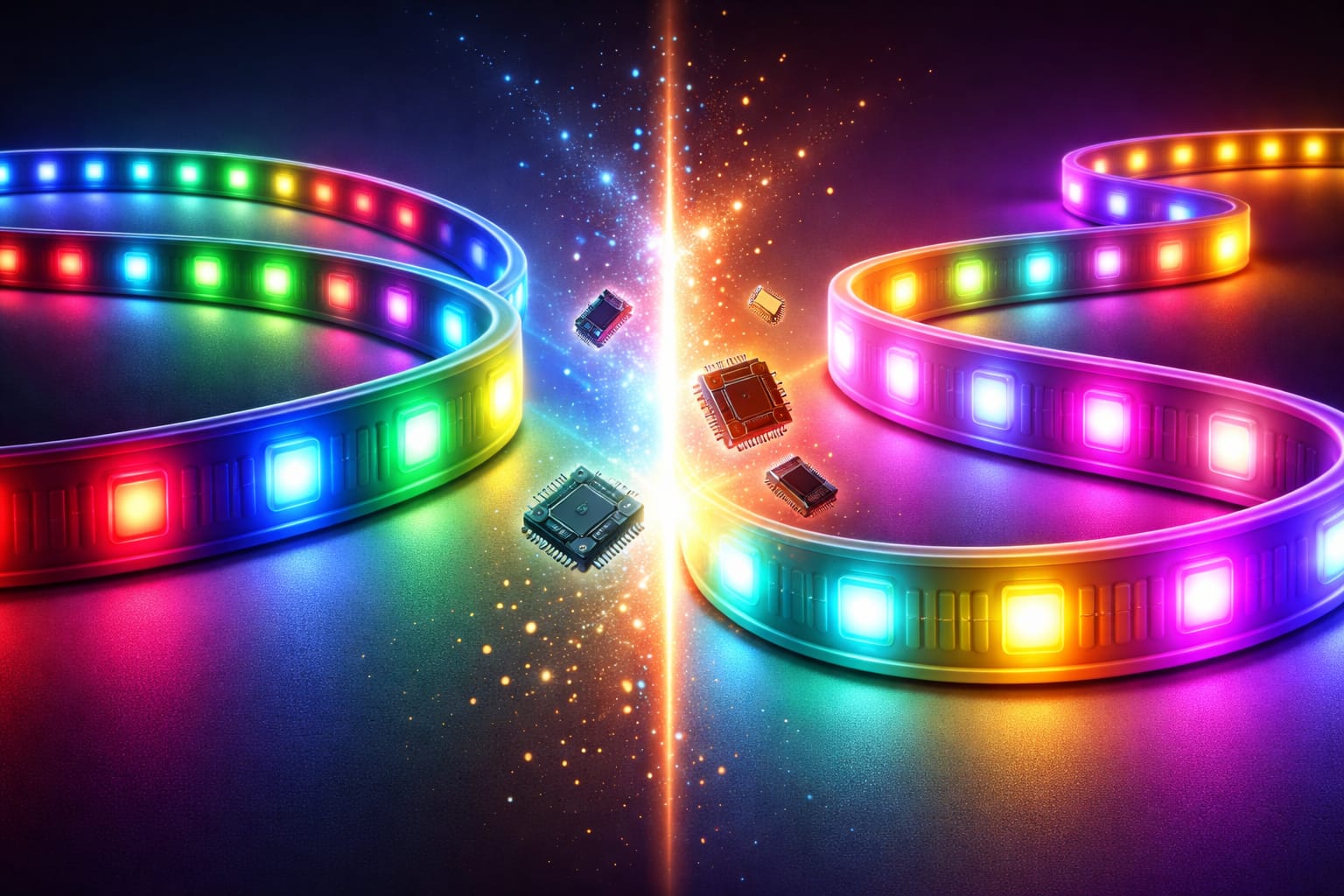
RGBIC strips use addressable LED technology. Instead of sending one color instruction to the whole strip, the controller sends data to separate sections. This independent color control allows multiple colors, gradients, chasing effects, and animated scenes to appear on the same strip at once.
If you are still comparing basic strip types, start with our beginner’s guide to LED strip lights. It explains placement, power, brightness, and common mistakes before you choose a specific strip style.
In one sentence: RGB is better for simple, affordable, single-color lighting. RGBIC is better for multi-color effects, gradients, and dynamic scenes.
What Is an RGB LED Strip?
An RGB LED strip uses red, green, and blue diodes to create different colors. The controller adjusts those three channels to mix the color you select. Because the entire strip receives the same signal, the color stays uniform from one end to the other.
This simple control system is why RGB strips are popular for first-time buyers. They are usually cheaper, easier to understand, and easier to use for everyday accent lighting. If your goal is a steady glow behind a desk, under a shelf, around a bed frame, or under cabinets, RGB often does the job without extra complexity.
Very cheap RGB kits may develop subtle flicker, weak adhesive, uneven brightness, or poor color consistency over time. This is especially noticeable in bedrooms, offices, and living rooms where the strip stays on for long periods. A reliable RGB strip kit for simple one-color lighting can be a better fit if you want a cleaner everyday setup.
RGB wiring is also straightforward. Many standard RGB strips use four connections: one common power line and three color channels. That simpler layout makes troubleshooting easier than with more advanced segmented strips.
The downside is that RGB cannot show a rainbow gradient or different colors in separate zones at the same time. If you want one section blue, another section pink, and another section green, standard RGB is not the right technology.
What Is RGBIC?
RGBIC means the strip includes integrated control chips that allow different sections to be controlled separately. In practical terms, RGBIC is the option that creates multi-color scenes, smooth gradients, chasing effects, and animated patterns across a single LED strip.
Instead of treating the whole strip as one unit, an RGBIC controller sends data down the strip. Each segment reads the part of the signal meant for it, then passes the remaining data along. This is what makes addressable lighting possible without complicated multi-channel wiring for every zone.
Many addressable strips use chips such as WS2812B or SK6812 to manage color data. You do not need to memorize those chip names to buy a good strip, but they explain why RGBIC can create effects that a normal single-color LED strip cannot. That is also why understanding addressable LED strip lights helps clarify what really separates RGBIC from a basic RGB strip.
Segment density matters. A strip with more controllable segments per meter can create smoother gradients and more detailed effects. A lower-density RGBIC strip may still look colorful, but transitions can appear more blocky when viewed up close.
For a broader comparison of strip categories, features, and use cases, you can also explore our guide to different types of LED strip lights.
Color Effects and App Control
Color effects are where the difference between RGB and RGBIC becomes most obvious. Both can mix red, green, and blue light, but they display those colors in very different ways.
RGB changes the entire strip to one color at a time. This looks cleaner for calm room lighting, coordinated color themes, under-cabinet lighting, shelves, headboards, and simple accent lighting. It is less distracting and often better when the strip is meant to support the room rather than become the main visual feature.
RGBIC can show multiple colors at once. That makes it better for gaming setups, TV walls, music-reactive scenes, content backgrounds, holiday lighting, and spaces where movement and color variety matter. A smart RGBIC strip for gaming rooms and TV backlighting can make these effects easier to control without manually changing scenes every time.
Control is another big difference. Basic RGB kits often use a small remote or a simple app with color buttons, brightness control, and a few preset modes. RGBIC kits usually offer deeper app control, including custom scenes, saved presets, timers, music sync, moving effects, and sometimes voice assistant support. If you are choosing RGBIC mainly for scenes, routines, or voice control, this smart lighting setup guide can help you plan the system before buying.
Practical rule: If you will mostly set one color and leave it there, RGB is enough. If you will actually use scenes, effects, music sync, or multi-color gradients, RGBIC is the better choice.
Installation, Cutting, and Power
The basic installation process is similar for RGB and RGBIC LED strips: clean the surface, plan the route, connect the controller, size the power supply correctly, and test the strip before sticking it in place. The difference is that RGBIC usually needs more attention to signal quality, controller compatibility, and cutting rules.
Standard RGB strips are usually more forgiving. They are often easier to cut at marked points, easier to connect, and easier to troubleshoot because the whole strip behaves as one zone. This makes RGB a safer choice for simple DIY projects where you want fewer variables.
RGBIC strips may also have marked cut points, but you should always check the product instructions before cutting. Because the strip depends on control chips and data flow, cutting in the wrong place can break effects, disable sections, or make the strip behave unpredictably.
Power planning matters for both types. RGB usually has more predictable power demand because the whole strip follows the same color signal. RGBIC power use can vary more because bright multi-color animations may draw more power than a calm single-color scene. To understand the basics of strip operation, wiring, and power behavior, read our guide on how LED strip lights work.
For longer runs, multiply the watts per meter by the total length, then add about 20% overhead for safety. Long RGBIC setups may need extra planning because animated scenes and multi-zone effects can increase peak power demand.
Mounting also affects lifespan and final appearance. Clean the surface with isopropyl alcohol, let it dry, and avoid sticking strips to dusty, rough, or oily surfaces. In visible areas, mounting channels and LED light diffusers can improve heat dissipation, soften harsh LED points, protect the strip, and make the installation look cleaner.
Is RGBIC Worth the Higher Price?
RGBIC is usually more expensive than standard RGB because it includes extra control chips, a more capable controller, and often a more advanced app. Whether that extra cost is worth it depends on how you will use the strip after the first few days.
RGB is usually the better value if you only want a clean glow, a fixed color, or simple mood lighting. Paying extra for RGBIC does not make much sense if you will never use gradients, movement, music sync, or custom scenes.
RGBIC becomes worth it when the lighting is part of the visual experience. Gaming rooms, TV backlighting, streaming backgrounds, seasonal décor, and entertainment areas benefit much more from segmented color control. In those cases, the extra flexibility can make the setup feel more premium and more fun to use.
Think about the full project cost, not just the strip. Depending on the installation, you may also need a power supply, controller, connectors, mounting channels, extension cables, or a better adhesive solution. The smartest choice is the strip that matches your actual use case, not the one with the longest feature list.
Best Uses for RGB and RGBIC
RGB and RGBIC are not competing for the exact same job. RGB is better when the lighting should be simple, steady, and affordable. RGBIC is better when color movement and visual effects are part of the reason you are installing the strip.
RGB is usually best for:
- Under-cabinet lighting
- Simple bedroom ambiance
- Headboards and shelves
- Desk backlighting with one steady color
- Closets, stairs, and simple accent areas
- Budget-friendly first LED strip projects
RGBIC is usually best for:
- Gaming rooms
- TV backlighting and media walls
- Rainbow effects and animated scenes
- Music sync and party lighting
- Streaming or content creation backgrounds
- Holiday décor and decorative color effects
For bedrooms, the best choice depends on whether you want calm comfort or visual effects. If you want soft everyday lighting, RGB is often enough. If you want scenes, transitions, and a more playful setup, RGBIC can be more exciting. Our guide to the best LED strip lights for bedrooms covers placement, comfort, brightness, and smart control in more detail.
Commercial spaces can use both. RGB makes sense for simple accent lighting in offices, corridors, shelves, and signage. RGBIC is more useful for retail displays, bars, restaurants, event spaces, and areas where moving color can help attract attention.
RGB or RGBIC: Which Should You Buy?
Buy RGB if you want simple, affordable lighting with one consistent color across the strip. Buy RGBIC if you want gradients, moving effects, segmented color zones, and deeper app control.
- Tight budget: choose RGB.
- Simple room glow: choose RGB.
- Desk, shelf, or headboard accent: RGB is usually enough.
- Gaming setup or TV wall: choose RGBIC.
- Rainbow effects, gradients, or music sync: choose RGBIC.
- Beginner installation with fewer complications: choose RGB.
- Creative scenes and independent color control: choose RGBIC.
Do not choose RGBIC just because it looks impressive in product videos. Choose it if you will actually use the effects. For a simple room upgrade, RGB is often the smarter buy. For a setup built around scenes, gaming, music, or TV backlighting, RGBIC usually feels worth the extra cost.
Learn more: If you want to compare more LED terms, strip types, and lighting basics before buying, visit our LED knowledge center.
FAQ
Is RGBIC Better than RGB?
RGBIC is better for multi-color effects, gradients, animations, and creative control. RGB is better for simple, affordable, single-color lighting. The better option depends on whether you want visual effects or a clean steady glow.
Can RGBIC LED Strips Be Cut?
Some RGBIC LED strips can be cut at marked points, but not all kits are designed for cutting. Always check the product instructions before cutting, because cutting in the wrong place can damage data flow or stop certain segments from working correctly.
Are RGBIC LED Strips Worth It?
RGBIC LED strips are worth it if you want gradients, moving scenes, music sync, app-based effects, or segmented color zones. They are not necessary if you only want one steady color for basic ambient lighting.
Do RGBIC Strips Use More Power than RGB Strips?
They can, especially when running bright multi-color animations. At moderate brightness with a simple color, the difference may be smaller. For longer runs, always size the power supply based on the strip length, watts per meter, and expected peak brightness.
What Does RGBIC Mean?
RGBIC refers to RGB lighting with integrated control chips. These chips allow separate sections of the strip to be controlled independently, which makes multi-color effects and animated scenes possible.
Key Takeaways
RGB strips display one color across the entire strip. RGBIC strips can display multiple colors at the same time by controlling separate segments independently.
Choose RGB if you want lower cost, simpler setup, easier control, and clean ambient lighting. Choose RGBIC if you want gradients, animations, music sync, app-based scenes, and a more dynamic visual effect.
Before buying RGBIC, check the cutting rules, controller features, app quality, power requirements, and whether you will actually use the effects. The best LED strip is the one that matches your room, budget, and daily use.
Sharing This Guide
If you found this guide helpful, save it or share it with someone comparing RGB and RGBIC LED strips.
Interested in learning more? Browse related articles in our LED strips category section.