Standby Power Usage of Smart Lights: Real Cost Over Time
Smart lights use a small amount of electricity even when they appear to be off because they need power for wireless communication, app control, and voice assistant access. This standby power usage is usually modest per bulb, but becomes more noticeable when many smart bulbs or a hub are running around the clock.
This guide explains typical standby wattage, how Wi-Fi, Bluetooth, Zigbee, and hub-based systems compare, what the real yearly cost looks like, and when the always-on power draw is worth it for convenience.
Quick Answer
Quick answer: most smart bulbs use about 0.2 to 0.8 watts in standby mode. This amounts to only a few kilowatt-hours per bulb per year, but the total increases when you add multiple bulbs, hubs, and other always-on smart devices.
- Wi-Fi bulbs typically consume more standby power than Zigbee or Bluetooth models.
- A bulb using 0.4 watts in standby mode consumes approximately 3.5 kWh per year.
- Hub-based systems can be more efficient than Wi-Fi bulbs in larger setups.
- Turning the power off at the wall reduces standby power usage to zero but also disables smart features.
- For most homes, the cost is minimal, but not zero.
Table of Contents:
Basic Measurements
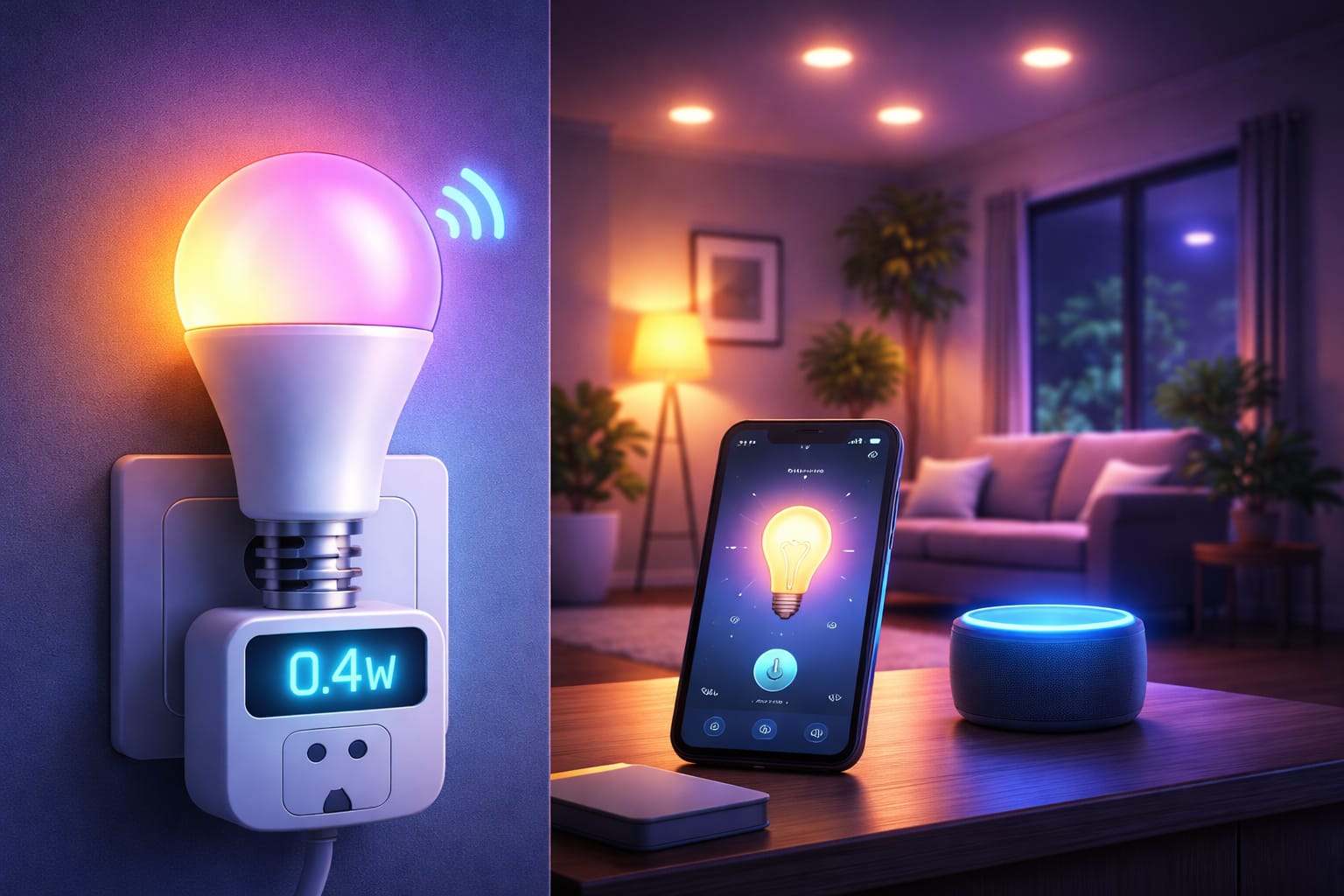
Most smart lights use around 0.2 to 0.5 watts in standby mode when they are turned off via the app but are still connected to the network. This small draw keeps the radio active, enabling the bulb to respond instantly to a phone app, smart speaker, automation, or scene command. A bulb that idles at 0.4 watts uses about 3.5 kWh per year, costing roughly $0.53 at $0.15 per kWh.
Actual results can vary depending on the brand, wireless protocol, firmware, and how frequently the bulb communicates with the network. Better products tend to stay within the lower end of the range, while some budget models can approach 1 watt in standby mode. This difference may not sound dramatic for a single bulb, but it matters more when the same pattern is repeated across an entire home. Compared with a basic, non-smart LED bulb, which usually draws no power when switched off at the wall, a smart bulb always uses some power in the background. Whether that overhead is acceptable depends on how much you value remote control, automation, and integration with the rest of your smart home.
Off State Definition
With smart lighting, “off” can mean two different things. If the bulb is turned off via software, it still has power and uses standby electricity to stay connected. However, if you cut power at the wall switch, standby consumption drops to zero, and the bulb loses all smart functionality until power is restored.
Pro tip: If you want the convenience of voice control, routines, or remote access, keep the wall switch on and treat the “off” setting in the app as the bulb’s true standby state.
Wireless Protocols
The connection method plays a significant role in standby power usage. Wi-Fi bulbs often sit in the 0.4- to 0.8-watt range because they maintain a direct connection to the router or cloud service. Bluetooth models commonly use less power, around 0.2 to 0.4 watts, while Zigbee and Z-Wave bulbs typically use even less, around 0.2 to 0.3 watts, thanks to their lower-power radios and more efficient network design.
Wi-Fi offers the advantage of independent operation without a separate hub, but this convenience usually comes with slightly higher idle consumption. Zigbee and similar protocols often have lower standby power usage because more of the intelligence is in the hub, and the radio is designed for lower-power communication.
Although Matter may improve interoperability across platforms, in practice, standby power usage still depends heavily on the underlying transport layer and device design. Protocol choice is not only about compatibility or speed. It also affects how much background power your smart lights use every hour of the day.
Mesh networking
Zigbee and Z-Wave use mesh networking, which spreads communication across multiple devices instead of forcing every bulb to maintain a full Wi-Fi connection. While some bulbs that act as routing nodes may use slightly more standby power than end devices, the system as a whole often remains efficient.
This is one reason why hub-based lighting systems can be easily scaled up. As the number of bulbs increases, a good mesh network can provide reliable control without pushing each bulb into the higher standby range typical of Wi-Fi products.
Brand Comparisons
Brand comparisons: Brand quality matters. Premium smart lighting brands often keep standby usage around 0.2 to 0.3 watts, while cheaper alternatives may be closer to 0.5 watts or exceed that amount. Philips Hue bulbs are often in the lower range. LIFX Wi-Fi bulbs are typically around 0.4 to 0.5 watts, and generic Wi-Fi bulbs sometimes draw more. This does not automatically mean that premium products are always the best value, but it does mean that the purchase price is not the whole story. Better power management, cleaner firmware, and more efficient hardware can lower operating costs over time, especially if you plan to install smart bulbs throughout your home instead of just in one or two fixtures.
Manufacturer claims should still be considered estimates rather than guarantees. Real-world testing is especially important with budget devices.
Firmware Updates
Firmware updates can influence standby power usage more than many people expect. While a well-optimized update may improve background efficiency, new features, expanded integrations, or less polished code can also slightly increase idle power use. This means that a bulb you measured one year ago may not behave exactly the same way after several update cycles.
If precise numbers are important to you, measure before and after major updates rather than assuming standby performance never changes.
Hub Consumption
Hub Consumption Hubs add their own always-on load, so don’t only look at the bulbs. A Philips Hue Bridge uses around 1 to 2 watts, SmartThings hubs use around 2 to 3 watts, and Home Assistant setups use much more depending on the hardware. This becomes part of the total standby cost of the system.
At the same time, however, hub-based systems can reduce the standby burden on each bulb. For instance, a 2-watt hub plus 20 0.2-watt bulbs totals about 6 watts, whereas 20 standalone Wi-Fi bulbs at 0.5 watts each would total about 10 watts. In a small setup, the hub may seem like unnecessary overhead. In a larger setup, however, it can actually improve overall efficiency.
Multi-Protocol Hubs
Multi-protocol hubs that manage Zigbee, Z-Wave, Thread, Wi-Fi, or other radios simultaneously usually consume more standby power than simpler, single-protocol bridges. This does not make them a bad choice. It just means that flexibility and broader compatibility often come with a slightly higher baseline load.
If you want a single dashboard for a mixed smart home, the extra watt or two may be easy to justify. However, if you only need a small, lighting-only system, a purpose-built hub is often the more efficient choice.
Cumulative Costs
The real question is not whether one bulb uses a lot of standby power. Rather, it’s what happens when you multiply that number. Ten smart bulbs, each using 0.4 watts, use about 35 kWh per year, costing roughly $5.25 at $0.15 per kWh. Twenty bulbs double that total to about $10.50, and a hub can increase the overall cost. In many homes, the total standby cost of a full smart lighting system is around $15 to $25 per year. While still modest, these costs are no longer invisible. Over a product lifespan of 10 to 20 years, these small annual costs accumulate and become part of the system’s total ownership cost, alongside the price of the bulbs, their replacement cycle, and their active operating consumption.
Geographic Variations
Changes in electricity prices alter the math. In regions with expensive power, standby losses feel more significant because each watt that is always on costs more over the course of a year. In areas with low rates, the same system may be inexpensive enough that most people will never notice the difference on their bills.
Time-of-use plans can further complicate matters. Since standby draw occurs 24 hours a day, it is distributed across both peak and off-peak periods rather than occurring only during one rate window.
Whole-Home Impact
Smart lights are only one part of your home’s phantom load. Routers, cable boxes, TVs, gaming consoles, chargers, smart speakers, and security devices may all remain partially active even when you think they are off. In that larger context, a smart lighting system drawing 5 to 15 watts in standby mode is usually only a small part of the total.
This matters because it keeps the issue in perspective. Smart lighting is not usually the biggest standby offender in a home, but it becomes more relevant as your smart ecosystem grows. Once you add bulbs, hubs, cameras, thermostats, sensors, and assistants, the background load can become significant.
Relative Priority
If your goal is to quickly reduce phantom loads, you should first address the larger standby users. For example, a cable box or old entertainment device can waste more electricity than several smart bulbs combined. However, smart lighting is often easier to optimize because you can choose better bulbs, architecture, or deployment options without giving up the whole system.
In other words, smart lights may not be the first thing to fix, but they are still worth understanding if you want a more efficient, connected home.
Minimization Strategies
The easiest way to reduce standby losses is to choose energy-efficient products from the beginning. Low-draw bulbs, well-designed hubs, and protocols such as Zigbee can minimize the always-on load without sacrificing the features that make smart lighting useful. It is also important to avoid installing smart bulbs everywhere unless the location would really benefit from automation. Selective deployment usually works well. Living rooms, bedrooms, and other frequently used spaces often justify app control, scenes, or voice commands. However, closets, utility rooms, and fixtures used occasionally may not need full-time connectivity. This approach helps reduce standby usage without making the home feel inconvenient.
Automation Strategies
Some users try to eliminate standby draw by using smart plugs or scheduling power cuts, particularly during vacations or overnight. This method can work, but it alters the system’s behavior. Once the bulb loses power, it is unavailable for remote control, routines, or voice commands until the power is restored.
A more balanced approach is to use automation to reduce active lighting waste rather than obsessing over every standby watt. Motion-based shutoff, schedules, dimming, and occupancy routines can often save more electricity during use than standby power consumption.
Efficiency Trade-Offs
Standby power is the price of having a light that is always ready to respond. If you want instant voice control, app access, scenes, remote scheduling, or presence simulation, the bulb must stay partly powered on. This creates overhead, but it is not necessarily wasted energy if these features help you manage lighting more effectively.
In many homes, smart automation reduces active lighting use enough to offset the standby draw. A system that automatically turns lights off, dims them when full brightness is unnecessary, or prevents long accidental run times can save more electricity than it consumes in the background.
There are also non-energy benefits that matter to some households, including convenience, accessibility, security routines, and easier control of multiple fixtures. These benefits aren’t reflected neatly in utility bill calculations, but they still have real value.
Automation savings
Here is the key comparison: A 0.4-watt bulb in standby mode consumes about 3.5 kWh per year. However, preventing just one hour of unnecessary daily use of a 10-watt bulb saves about 3.65 kWh per year. This shows that a simple automation can cancel out standby overhead almost entirely.
For this reason, the best way to evaluate smart lights is to consider standby consumption in the context of the entire system. It’s better to consider the entire system and determine if the automation features reduce waste during actual use.
Measurement Methods
To obtain accurate standby numbers, use a wattmeter that can reliably detect low power readings. Basic plug-in meters are sufficient for many household tests, but not all of them provide precise readings below 0.5 watts. More sensitive meters or power analyzers provide more accurate results when comparing small differences between bulbs or platforms.
Ensure that the bulb is in a true software-controlled off state during testing. If the wall switch is off, you are not measuring standby power. You are just measuring a disconnected circuit. This distinction is important because many people mistakenly test the wrong condition and conclude that a smart bulb uses no power when it is off.
Longer measurement windows also help. Standby power is not always perfectly consistent, especially when a bulb checks for commands, reports its status, or updates its network connections in short bursts. A longer average is usually more meaningful than a quick spot reading.
Whole System Testing
Testing one bulb is useful, but testing the entire system is often more informative. A whole-home measurement can include the bulbs, the hub, the network equipment involved in the setup, and any other components of the lighting ecosystem that are always on. This provides a clearer picture of the total standby load.
If you measure the standby power before and after disconnecting the complete smart lighting system, you can clearly see its real contribution to household standby consumption.
Future Improvements
Standby efficiency will likely continue to improve as smart lighting technology advances. Better chip design, lower-power radios, smarter sleep behavior, and tighter energy standards all indicate that idle consumption will decrease over time. While the gains may be incremental rather than dramatic, they should still improve total system efficiency.
However, new features could push in the opposite direction. Richer integrations, faster responsiveness, additional sensors, and broader protocol support may introduce complexity that offsets these improvements. While future products will likely be better overall, not every new generation will automatically use less standby power in every scenario.
For most buyers today, the better question is not whether the next generation will be slightly better. The more relevant question is whether the current standby cost is worth the convenience and control you want right now.
Protocol Evolution
Well-designed ecosystems that prioritize efficient communication may see lower standby levels with protocols such as Thread and future Matter refinements. Standby levels below 0.1 watt per device could become the norm for certain categories over time.
However, backward compatibility and mixed-device environments may hinder these improvements. Future systems that are the most efficient will probably be those designed around modern low-power protocols from the beginning rather than those patched together from multiple generations of hardware.
Comparative Analysis
Compared with other always-on electronics, smart lighting standby use is usually moderate rather than extreme. For example, a router may draw 5 to 15 watts continuously; a cable box can use much more; and a game console or smart speaker can draw several watts more than idle smart lights. In that context, smart lights are rarely the biggest offender.
However, the comparison becomes more important when you add everything together. One low-power device is easy to ignore. A home full of low-power devices is not. Smart lighting contributes to the larger always-on ecosystem, so it’s important to evaluate it as part of the whole picture rather than in isolation.
Traditional lighting has the advantage of zero standby draw when switched off. Smart lighting sacrifices that simplicity for automation and convenience. For many users, that is a fair trade-off. However, for those trying to save every last kilowatt-hour, it may be a reason to be selective about where smart bulbs make sense.
Total Perspective
For a household using around 10,000 kWh per year, a smart lighting system that adds 35 to 75 kWh annually in standby mode still represents a fairly small portion of total consumption. This does not render it irrelevant, but it does mean that its impact on the overall bill is usually limited, unless the installation is large or electricity rates are high.
Active lighting use usually matters more. Ten 10-watt bulbs running four hours a day consume far more energy in normal operation than in standby. Therefore, if you want the biggest improvement, forming better habits and implementing smarter automation often matter more than chasing the lowest idle wattage alone.
Want to see how standby consumption compares with active lighting use and broader efficiency strategy? The LED Knowledge Center covers smart protocols, hub setups, and energy management in more depth.
Key Takeaways
Key takeaways: Smart lights use electricity in standby mode, typically ranging from 0.2 to 0.8 watts per bulb, depending on the protocol, product quality, and system design. The cost per bulb is small, but becomes more meaningful when scaled up to a full-home installation.
If you’re concerned about efficiency, focus on good hardware, sensible deployment, and system architecture rather than worrying about one bulb in isolation. In many cases, automations that reduce active lighting time save more energy than standby power consumption.
For most households, the standby power usage of smart lights is a manageable trade-off rather than a deal-breaker. A better question is whether the convenience, control, and automation benefits are worth the small always-on cost of your setup.
Share this Guide!
If you found this guide helpful, save it for later or share it with someone who is comparing smart bulbs, hubs, and home energy trade-offs.
Share using the links below
Interested in learning more? Browse related articles in our category section.