Group Smart Lights Easily: Ultimate Room Guide
Setting up a smart home becomes significantly easier when you know how to group smart lights by room. This approach transforms multiple individual bulbs into coordinated zones that respond to single commands, creating an intuitive lighting system that adapts to your daily routines and preferences.
Table of Contents
- Why organize by zones
- Choosing compatible hardware
- Platform selection basics
- Creating initial configurations
- Alexa setup walkthrough
- Google Home configuration
- Apple HomeKit approach
- Naming conventions
- Advanced scene programming
- Troubleshooting connection issues
- Multi-platform integration
- Optimizing response times
- Energy efficiency benefits
- Sharing this guide
Why organize by zones
When you group smart lights according to physical locations, you eliminate the frustration of controlling each bulb individually. A well-organized system allows you to adjust brightness, color temperature, and power states for entire areas with a single voice command or app tap. This fundamental organization principle makes smart lighting control accessible to everyone in your household, regardless of their technical expertise.
Room-based grouping creates logical control structures that mirror how you naturally think about your home. Instead of remembering which bulb is labeled “Light 1” or “Bulb 47,” you simply tell your system to adjust the bedroom, kitchen, or office. This intuitive approach becomes especially valuable during automated lighting schedules when multiple zones need coordinated adjustments throughout the day.
The organizational benefits extend beyond simple convenience. Properly configured zones enable sophisticated automation routines that respond to time of day, occupancy sensors, or integration with other smart devices. Your morning routine might gradually brighten the bedroom while simultaneously activating kitchen lights, all triggered by a single alarm dismissal or motion detection event.
Choosing compatible hardware
Before you can effectively group smart lights, you need to ensure all bulbs communicate through compatible protocols. Most modern smart bulbs use either WiFi, Zigbee, or Z-Wave standards. WiFi-based bulbs connect directly to your home network without requiring additional hubs, offering straightforward installation but potentially consuming more bandwidth during peak usage periods. If you want a dependable option, a solid example is energy-efficient smart LED bulbs with app control, which is widely trusted for indoor setups.
Zigbee and Z-Wave systems require dedicated hubs but create mesh networks that improve reliability and range. Each bulb acts as a signal repeater, strengthening connections throughout your home. When planning your smart lighting control infrastructure, consider how many bulbs you intend to install and whether your router can handle the additional network traffic from WiFi-only solutions.
Brand compatibility matters significantly when building cohesive lighting zones. While many manufacturers support standard protocols, some features remain exclusive to specific ecosystems. Philips Hue, LIFX, Sengled, and Wyze all offer excellent products, but mixing brands within a single room may limit your access to advanced features like synchronized color transitions or precise dimming curves.
Platform selection basics
Evaluating ecosystem features
Your choice of smart home platform fundamentally shapes how you group smart lights and interact with them daily. Amazon Alexa, Google Assistant, and Apple HomeKit each provide distinct approaches to device organization, voice recognition, and automation capabilities. Ecosystem selection should align with devices you already own and the specific features you prioritize for your lighting management needs. Our complete smart lighting systems guide provides a useful overview of how these platforms fit into the broader smart home picture before you commit to one ecosystem.
Amazon Alexa excels at natural language processing for voice assistant commands, allowing flexible phrasing when controlling your zones. Google Assistant offers superior integration with Google services and provides more detailed responses to contextual questions about your home automation setup. Apple HomeKit emphasizes privacy and security, processing many commands locally on your devices rather than routing everything through cloud servers.
Assessing future expansion
Consider how your lighting needs might evolve over the next several years. If you plan to add smart switches, sensors, or thermostats, verify that your chosen platform supports these integrations. Some ecosystems provide broader device compatibility across manufacturers, while others deliver deeper feature integration within limited product lines. According to the National Institute of Standards and Technology, standardization efforts continue to improve interoperability, but platform-specific limitations still exist.
Creating initial configurations
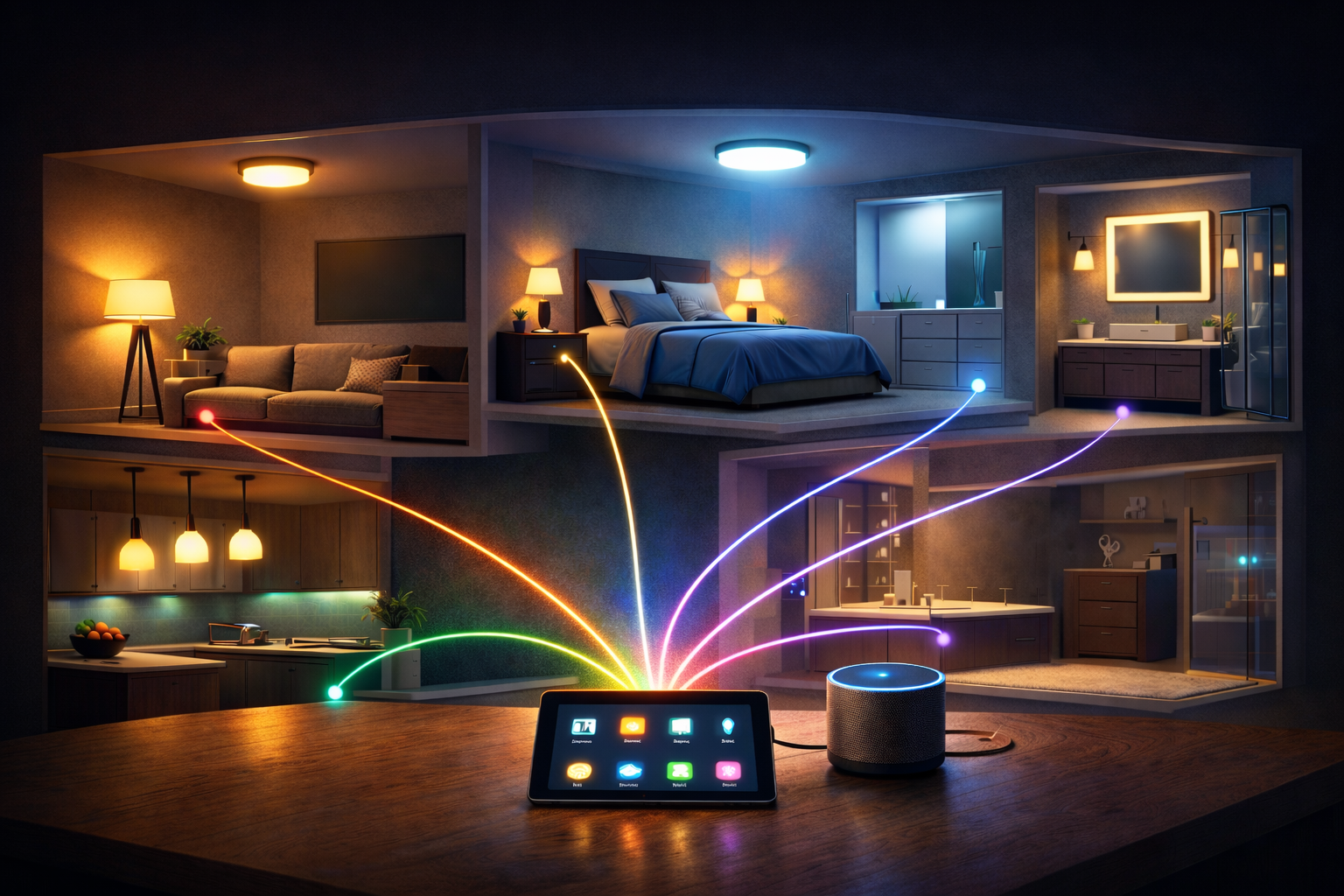
The process to group smart lights begins with installing bulbs in their physical locations and powering them on. Most bulbs enter pairing mode automatically during first use, indicated by pulsing or flashing patterns. Open your chosen platform app and navigate to the device addition screen, typically found in settings or through a prominent plus icon on the main interface.
During the discovery phase, your app scans for nearby devices and displays available bulbs for connection. This initial pairing establishes communication between each bulb and your platform hub or network. Connection stability during this phase depends on signal strength, so ensure your router or hub sits within reasonable range of all installation locations before beginning setup procedures.
After successfully adding individual bulbs, assign each one to its appropriate physical location within the app. This crucial step enables the platform to understand your home’s layout and prepare for zone creation. Take time to verify that each bulb responds correctly to individual commands before proceeding to combine them into functional zones for smart lighting control purposes.
Alexa setup walkthrough
Amazon’s Alexa app provides straightforward tools to group smart lights through its Devices tab. Tap the plus icon, select “Add Group,” and choose which devices belong together. The interface presents all discovered bulbs organized by type, allowing you to quickly select multiple fixtures from the same physical space simultaneously.
When creating Alexa groups, assign a recognizable room name that corresponds to the actual location. The system offers preset room names like “Living Room,” “Bedroom,” and “Kitchen,” but you can create custom labels for specific areas like “Home Office” or “Craft Room.” This naming flexibility ensures that voice assistant commands feel natural when requesting lighting adjustments throughout your daily routines. Another practical alternative is a dimmer switch compatible with smart home systems, which offers consistent results over time.
After establishing your zones, test functionality by issuing commands like “Alexa, turn off the bedroom” or “Alexa, dim the kitchen to 30 percent.” The system should respond to these instructions by adjusting all bulbs within the specified zone simultaneously. If individual bulbs fail to respond, verify their group membership and confirm they maintain stable network connections.
Google Home configuration
The Google Home application uses a similar approach but organizes devices through its home structure feature. Navigate to settings, select “Home,” and create rooms that represent your physical spaces. Once rooms exist within the app’s organizational framework, you can assign individual bulbs to their corresponding locations with simple drag-and-drop actions or selection menus.
Google’s platform excels at understanding natural language variations when you issue voice assistant commands. After you group smart lights into rooms, try phrases like “Hey Google, make the office brighter” or “Hey Google, set the living room to warm white.” The system interprets these conversational requests and applies appropriate adjustments without requiring rigid command structures or exact phrasing patterns.
One powerful Google Home feature allows you to create custom routines that trigger multiple zones simultaneously. For example, a “Movie Time” routine might dim the living room, turn off the kitchen, and activate accent lighting in specific colors. These coordinated actions demonstrate the practical value of proper zone organization for home automation setup efficiency.
Apple HomeKit approach
Apple’s Home app requires HomeKit-compatible bulbs that meet Apple’s strict security and privacy standards. When you group smart lights through HomeKit, you add accessories to rooms within the app’s home structure. This process involves scanning QR codes or entering eight-digit setup codes provided with each bulb’s packaging materials.
HomeKit’s zone management extends beyond simple room groupings to include zone categories that span multiple rooms. You might create a “Downstairs” zone containing the living room, kitchen, and dining area, enabling commands that affect entire floor levels simultaneously. This hierarchical organization provides flexible control options that adapt to various usage scenarios throughout your household.
Siri integration allows HomeKit users to control their organized zones using natural voice assistant commands through iPhones, iPads, HomePods, or Apple Watches. Commands like “Hey Siri, turn on the upstairs lights” or “Hey Siri, set the bedroom to 50 percent” demonstrate how effective organization simplifies smart lighting control across your entire home automation setup.
Naming conventions
Establishing consistent naming patterns prevents confusion when you group smart lights across multiple zones. Avoid generic labels like “Light 1” or “Bulb A” that provide no contextual information about location or function. Instead, use descriptive names that immediately communicate each bulb’s position, such as “Bedroom Ceiling” or “Kitchen Island Pendant.”
For rooms containing multiple fixture types, incorporate descriptive modifiers that distinguish between overhead lights, table lamps, and accent fixtures. This specificity becomes valuable when creating advanced scenes that adjust different fixture categories independently. Clear naming conventions also help other household members understand and interact with the system without requiring extensive technical knowledge.
Consider how names sound when spoken aloud during voice commands. Avoid similar-sounding room names that might confuse voice recognition algorithms, and choose single-word zone names when possible to minimize speech recognition errors. Testing various phrasings helps identify potential misunderstandings before they disrupt your smart lighting control experience during actual daily usage.
Advanced scene programming
Creating custom atmospheres
Once you successfully group smart lights by room, scenes allow you to save specific configurations for instant recall. A reading scene might set the living room to warm white at 70 percent brightness while dimming overhead fixtures and brightening task lights. These preset configurations eliminate the need to manually adjust multiple parameters each time you want a particular ambiance. If you’re new to thinking about how different lighting types interact in a space, our beginner’s guide to lighting design explains the principles behind effective scene building.
Most platforms enable scene creation through their mobile apps, presenting interfaces where you adjust each zone to desired settings before saving the complete configuration. Name scenes descriptively based on activities or times of day, such as “Morning Routine,” “Dinner Party,” or “Bedtime.” This activity-based nomenclature makes scene selection intuitive for everyone in your household during home automation setup processes.
Scheduling automated transitions
Time-based automation transforms static zones into dynamic environments that adapt throughout the day. Schedule your bedroom to gradually brighten thirty minutes before your alarm, mimicking natural sunrise patterns that support healthier wake cycles. Evening schedules might automatically dim living spaces after sunset, reducing blue light exposure that can interfere with sleep quality according to Department of Energy research on lighting and circadian rhythms.
When programming schedules that affect zones where you group smart lights, consider seasonal variations in sunrise and sunset times. Many platforms offer astronomical clock features that automatically adjust schedules based on your geographic location, ensuring lighting transitions remain synchronized with natural daylight patterns throughout the year. This adaptive scheduling maintains consistent routines without requiring manual intervention as seasons change.
Troubleshooting connection issues
When bulbs become unresponsive within organized zones, begin troubleshooting by verifying power delivery and network connectivity. Physical wall switches that cut power prevent smart bulbs from maintaining network connections, rendering them invisible to control platforms. Install smart switches or secure wall switches in the on position to ensure continuous power supply to all fixtures in your smart lighting control system.
WiFi signal strength significantly impacts reliability, especially for bulbs located far from routers or hubs. Use your platform app’s device health indicators to identify bulbs experiencing connection difficulties. Consider adding WiFi mesh extenders or relocating hubs to improve signal coverage throughout your home automation setup, particularly in areas where you group smart lights into essential zones.
Firmware updates occasionally cause temporary connectivity issues but ultimately improve performance and security. Check for available updates regularly through manufacturer apps and platform settings. After updating firmware, you may need to re-establish zone memberships or verify that voice assistant commands still function correctly with the newly updated software versions.
Multi-platform integration
Advanced users often run multiple platforms simultaneously to leverage unique features from each ecosystem. You might use Alexa for primary voice control while maintaining Google Home integration for specific automation routines. When you group smart lights across multiple platforms, ensure naming conventions remain consistent to prevent confusion during voice-activated control scenarios involving different assistants.
Cross-platform compatibility works best when using bulbs that support multiple ecosystems natively. Many modern smart bulbs carry “Works with Alexa,” “Works with Google,” and “Works with HomeKit” certifications, enabling seamless operation regardless of which platform you prefer for specific control tasks. This flexibility protects your investment if you decide to transition between ecosystems or add complementary platforms over time.
Third-party automation platforms like Home Assistant or IFTTT provide additional integration possibilities that extend beyond manufacturer-provided features. These advanced tools allow you to create sophisticated automation rules that respond to triggers from non-lighting devices, weather conditions, or even stock market fluctuations. Complex integration scenarios demonstrate the full potential of properly organized lighting zones within comprehensive home automation setup configurations.
Optimizing response times
Network latency affects how quickly zones respond to commands when you group smart lights through cloud-connected platforms. WiFi congestion, internet speed limitations, and server processing delays all contribute to the time between issuing a command and observing the corresponding lighting change. Reducing the number of devices sharing your network during peak usage periods can noticeably improve response times.
Hub-based systems that process commands locally typically respond faster than cloud-dependent alternatives because they eliminate internet round-trip delays. If instant response matters for your smart lighting control needs, prioritize platforms and bulbs that support local processing capabilities. Network optimization becomes especially important in larger homes where numerous devices compete for bandwidth simultaneously.
Mesh network protocols like Zigbee inherently provide faster zone-wide responses because they distribute commands through the mesh structure rather than routing every instruction through a central hub. As your network grows and bulbs strengthen the mesh, overall responsiveness often improves. This self-optimizing characteristic makes mesh-based systems particularly attractive for extensive installations across multiple zones.
Energy efficiency benefits
Organized lighting zones enable more conscious energy consumption patterns through automated scheduling and presence detection. When you group smart lights by room, you can program zones to turn off automatically after detecting no motion for specified periods. This automated conservation prevents energy waste from lights left on in unoccupied spaces throughout your home automation setup.
Dimming capabilities provide additional efficiency advantages beyond simple on-off control. Operating bulbs at reduced brightness levels consumes proportionally less energy while extending bulb lifespans through reduced thermal stress. Zone-based dimming through voice assistant commands or automated schedules makes it convenient to maintain comfortable illumination levels without operating fixtures at full power unnecessarily. For a more permanent upgrade, many users switch to color-changing LED strip lights for accent zones, which works well in real-world home environments.
Many platforms provide energy monitoring features that track consumption across individual zones, helping you identify opportunities for further optimization. Reviewing usage patterns might reveal that certain rooms consume excessive energy during specific times, suggesting opportunities to adjust schedules or dimming levels. These insights transform smart lighting control from a convenience feature into a tool for meaningful energy conservation throughout your household. For a broader reference on LED technology and smart lighting products, our LED knowledge center is a useful resource as you refine your setup.
Sharing this guide
If you found this guide helpful, you can save it for later or share it with a friend. It’s especially useful for beginners, homeowners, and DIY users.
Share using the links below
Interested in learning more? Browse all related articles in our category section.
Pingback: Buying LED Lights: Essential Guide Smart Beginners
Pingback: Lighting Psychology: Ultimate Guide for Your Home
Pingback: Lighting for Low Ceilings: Best Ideas - NeoLEDHub